

Acer Swift Edge 14 AI: 30-second review
Having recently covered the TravelMate P6 14 AI, the Acer Swift Edge 14 AI seems like a remarkably similar design, until you investigate the details.
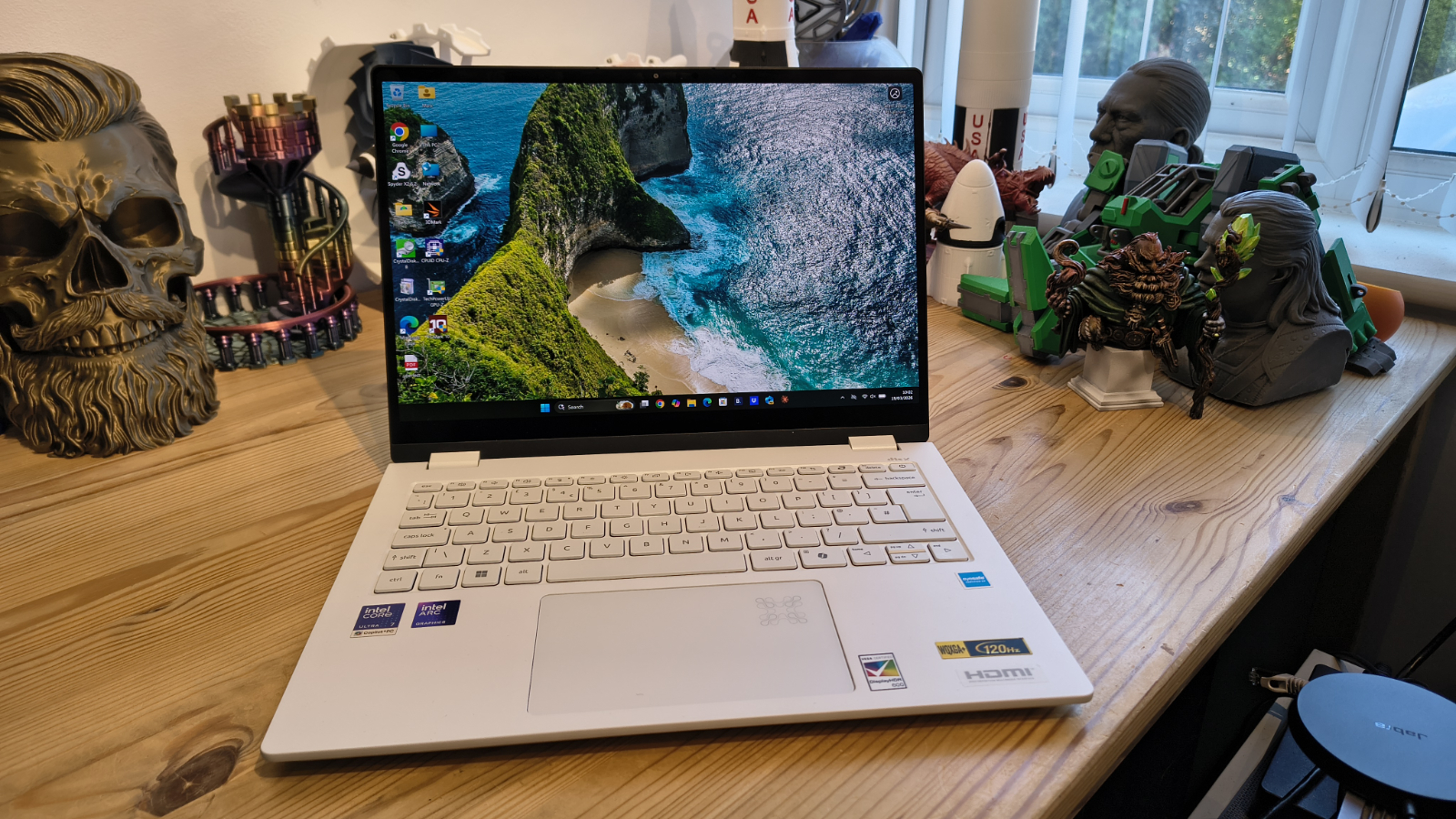
All brands have a version of the thin-and-light laptop market where every machine looks broadly the same: aluminium lid, backlit chiclet keyboard, 14 inches of 1080p, and the manufacturer's brand at the top of the bezel. However, the Acer Swift Edge 14 AI dares to be different.
Built around Intel's Lunar Lake platform, the Swift Edge 14 AI packs a Core Ultra 7 258V processor into a magnesium-aluminium chassis that comes in under 990g. That alone is enough to make most carry-on bags significantly lighter, but Acer has also fitted a 14-inch 3K OLED panel treated with Corning Gorilla Matte Pro. That’s not typical, and positions this hardware with creatives in mind.
The Lunar Lake architecture also brings several surprises with it. The eight-core hybrid design drops Hyper-Threading entirely, pairing four Performance cores against four Low-Power cores, all built on TSMC 3nm. Since Intel chose to run its own foundries for many processors, the results are much better.
The memory subsystem is on-package LPDDR5X running eight 16-bit channels wide. Regrettably, these types of memory installations mean they cannot be upgraded, but they do deliver bandwidth that most discrete memory configurations cannot match.
The review system had 32GB, and that’s all it will ever have.
Graphics duties fall to the Intel Arc 140V with 64 Xe2 execution units, a significant step up from the iGPU silicon Intel was shipping two generations ago. It will not make a games enthusiast happy, but for photo editing, light video work, and the kind of AI-accelerated tasks the machine is specifically marketed towards, it holds its own convincingly.
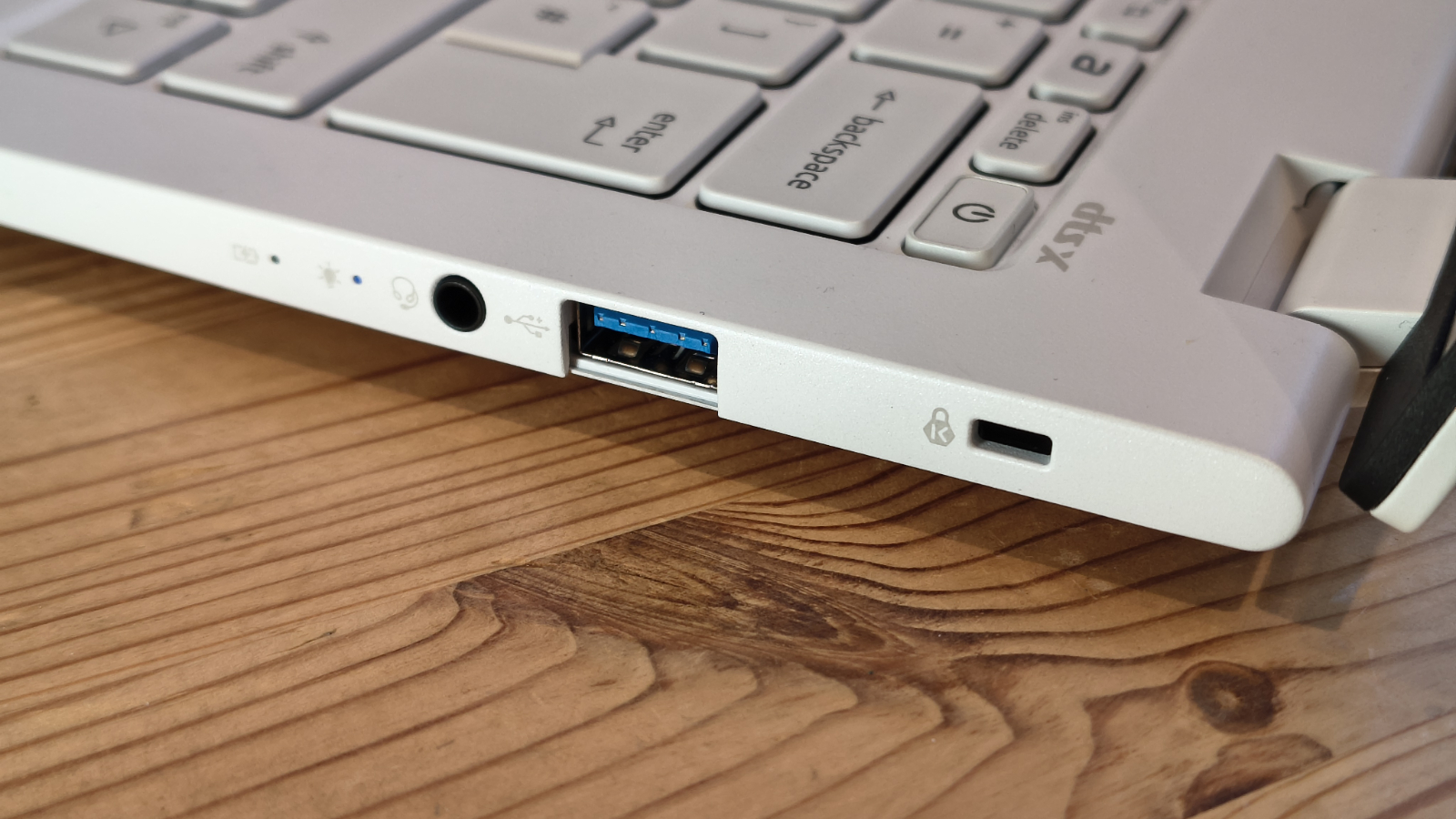
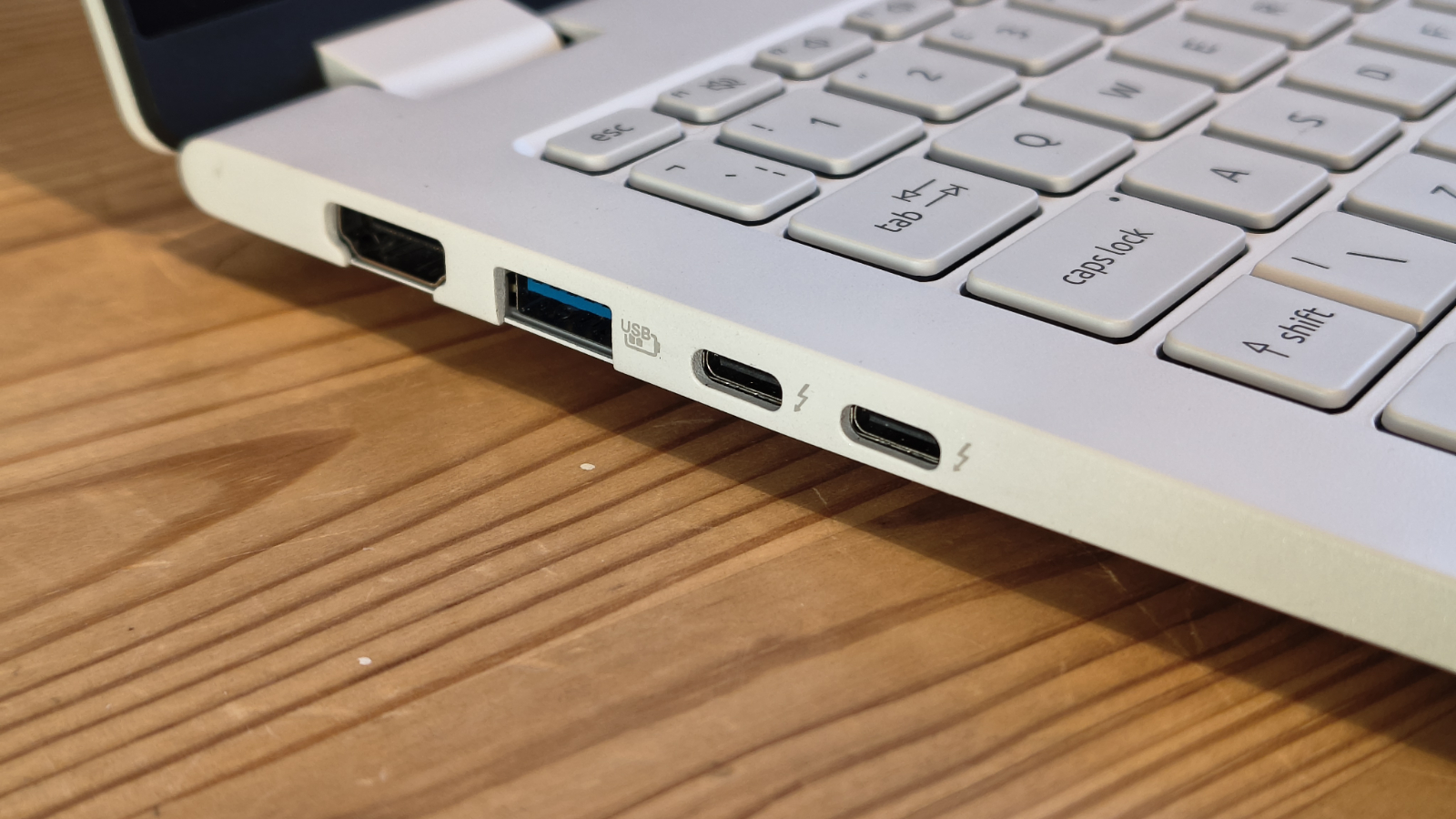
The port selection is genuinely commendable for a machine this thin: two Thunderbolt 4 ports, two USB 3.2 Gen 2 Type-A ports, full-size HDMI, and a headset jack. The one notable omission is a MicroSD slot, which feels like it should be standard on a creative-leaning portable at this price.
With an official cost of around $1499 / £1399, the Swift Edge 14 AI is priced to compete with some very capable alternatives. Whether or not it wins that competition depends almost entirely on how much the display and the weight matter to you. If both matter a lot, this deserves a serious look.
There are a few wrinkles in the off-white finish of the Acer Swift Edge 14 AI, but overall, it offers a stellar hardware combination at a price few of the best business laptops can match.
Acer Swift Edge 14 AI: Price and availability
- How much does it cost? From $1500/£1400
- When is it out? Available now
- Where can you get it? Direct from Acer or online retailers
The laptop is available direct from Acer's US shop, as well as Amazon.com. In the UK, I'm seeing it available from Amazon.co.uk and Currys.
The UK model reviewed here has the part number NX.JG4EK.008 ships with the Core Ultra 7 258V, 32GB LPDDR5X, and a 1TB SSD for an RRP of £1,399. At the time of writing, Currys has it available for £1,399, which shifts the value proposition considerably. At that price, rivals start looking rather less compelling.
I have seen it for £1100 on Amazon.co.uk, but how long that deal will last is debatable.
In the USA, the American market equivalent (NX.JM6AA.002) with the same CPU, memory and storage sells for $1499.99 on Amazon.com, the same price as it is directly from Acer.
Direct competitors include the Asus Zenbook A14, which is half as much in the USA, using a Snapdragon X Plus processor, a lower-resolution OLED panel and half the RAM capacity. But due to the platform, that machine can’t run Intel X86 natively.
The MSI Prestige 14 AI Evo lands in a similar territory to the Acer in the UK, but maybe £250 cheaper. However, that’s for one with only a Core Ultra series 1 CPU.
If you are prepared to stretch a little further, the Lenovo ThinkPad T14s Gen 6 on the same Lunar Lake platform costs noticeably more and brings additional enterprise features that most home and small-business users will not need. With the same spec as the Acer, it’s £1595.99 in the UK, and $1,759 in the USA.
It’s interesting that most of the machines that undercut the Acer Swift Edge 14 AI do so either by using an older-generation processor or by using IPS panels instead of the OLED in the Acer.
Therefore, it might not be cheap, but it represents decent value for money.
- Value: 4 / 5
Acer Swift Edge 14 AI: Specs
|
Model |
Acer Swift Edge 14 AI (NX.JG4EK.008 / SFE14-51T) |
|
CPU |
Intel Core Ultra 7 258V (Lunar Lake, TSMC 3nm, 4P + 4LP cores, 8 threads, up to 4.8GHz) |
|
GPU |
Intel Arc 140V (64 Xe2 execution units, up to 1,950MHz) |
|
NPU |
Intel AI Boost (48 TOPS) |
|
RAM |
32GB LPDDR5X on-package (8 x 16-bit channels, 8,533MHz, Micron, not upgradeable) |
|
Storage |
1TB M.2 PCIe 4.0 SSD |
|
Display |
14-inch 2,880 x 1,800 OLED, 120Hz, Corning Gorilla Matte Pro, 16:10 |
|
Ports |
2x Thunderbolt 4 (USB-C), 2x USB 3.2 Gen 2 Type-A, 1x HDMI 2.1, 1x 3.5mm combo jack |
|
Camera |
1080p FHD with IR (Windows Hello) |
|
Networking |
Wi-Fi 7 (Intel integrated), Bluetooth 5.4 |
|
Audio |
Dual speakers with DTS Audio |
|
Battery |
65Wh |
|
Charger |
100W USB-C (included) |
|
Dimensions |
313.8 x 218.8 x 12.9 mm |
|
Weight |
Approx. 990g |
|
Operating system |
Windows 11 Home (pre-installed) |
|
Color |
White (Pure Silver also available) |
Acer Swift Edge 14 AI: Design
- Magnesium-aluminium chassis, sub-1kg weight
- OLED display with Corning Gorilla Matte Pro treatment
- Great port selection
- No MicroSD or SIM card slots
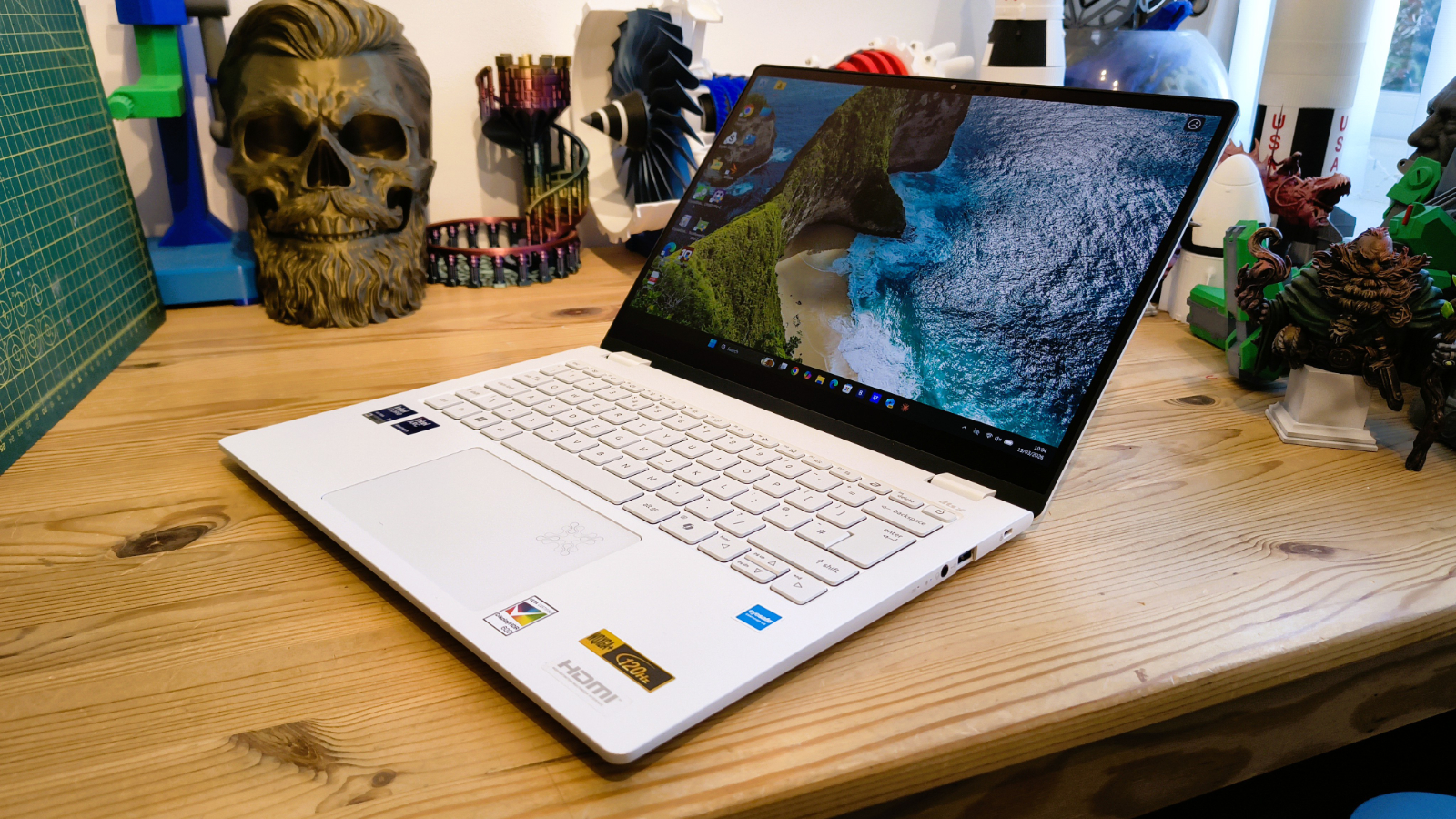
Pick up the Swift Edge 14 AI, and the first thing you register is the weight, or rather the lack of it. At just under a kilogram, it sits in the hand more like a hardback novel than a laptop, and Acer has managed that without resorting to the flex-heavy thin plastic shells that cut corners on cheaper machines. The magnesium-aluminium build feels solid, with only the very slightest give under deliberate pressure on the lid.
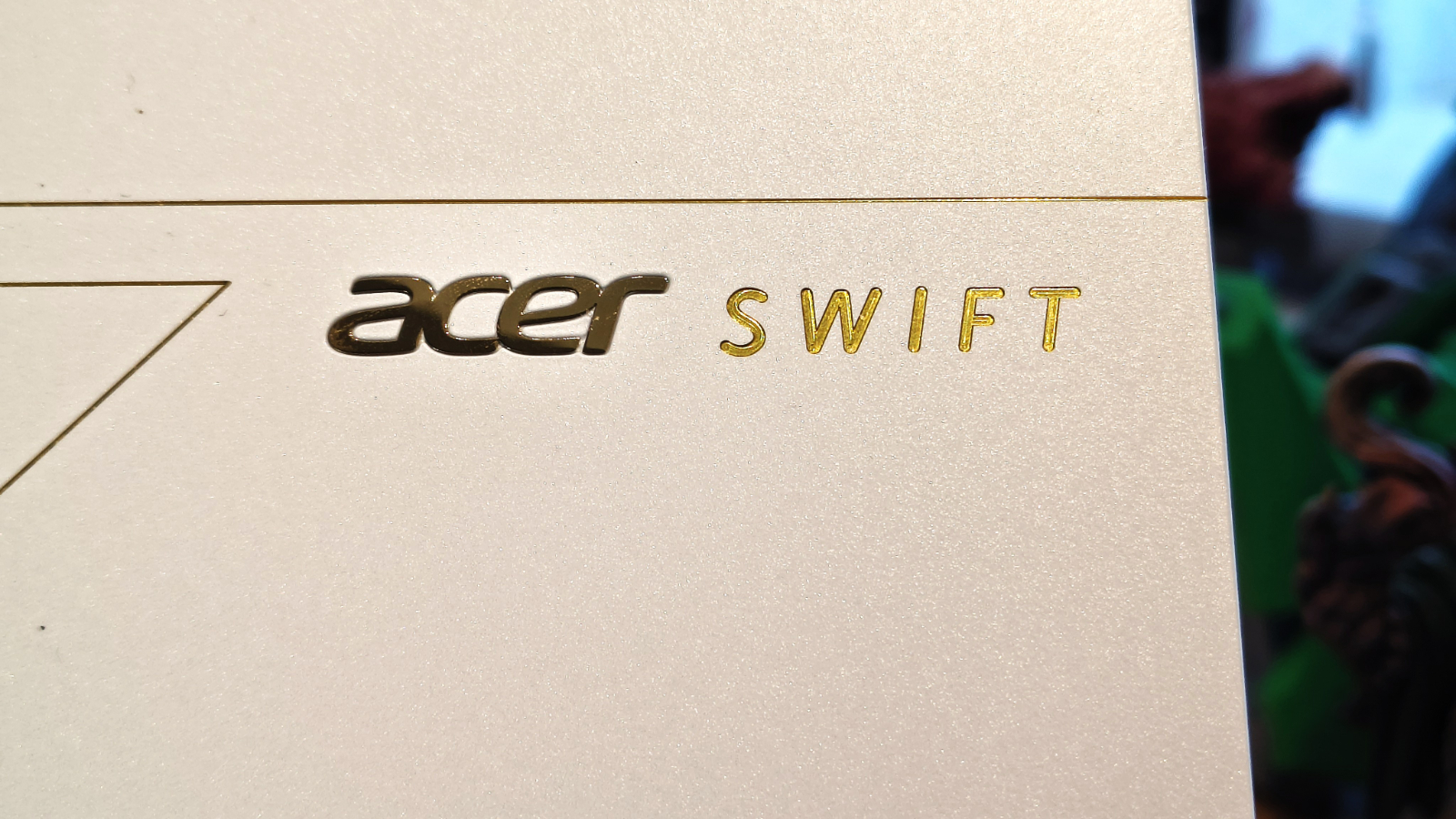
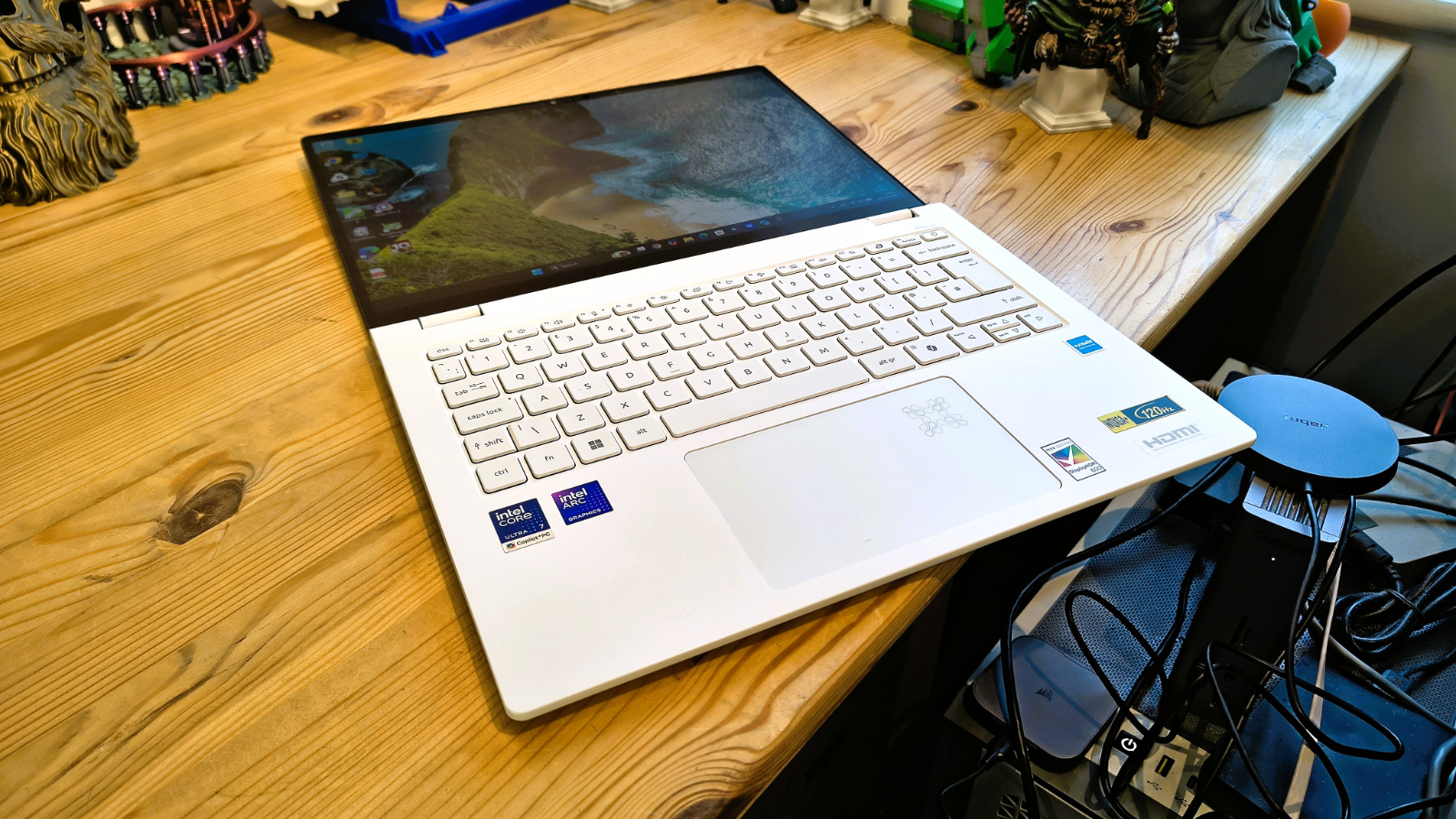
Acer describes the finish as Stellar White, and the aesthetic is deliberately clean. The lid carries only a small Acer logo and the Swift Edge badge on the opposite side of the lid, which gives it an understated quality. The hinge action is smooth with some light resistance; it can be opened one-handed, and the lid can sit flat at 180 degrees if needed.
At 12.9mm thin, the Swift Edge 14 AI is noticeably slimmer than a lot of its competition. The side ports are arranged sensibly: both Thunderbolt 4 ports and the HDMI sit on the left alongside a USB-A port, while the other USB-A port and the 3.5mm combo jack are on the right. This keeps the more frequently used connectors on one side for desk use. The full-size HDMI is a genuine convenience. Although it is possible to convert a Thunderbolt port to HDMI or DisplayPort, if you need more screens.
The keyboard is a backlit scissor-switch design with a reasonable 1.3mm of travel. Key spacing is generous for a 14-inch chassis, and the layout avoids the cramped cursor cluster that plagues thinner machines. There is a Copilot key, as expected for a Copilot+ PC, and a fingerprint reader is built into the power button. A separate IR camera above the display handles Windows Hello facial recognition with reasonable speed.
My only reservation about that camera is that, for the cost of this hardware, I’d have liked to see one that could do 4K, and not the 1440p limited one that Acer installed.
The trackpad is glass-surfaced, well-sized, and supports Windows Precision gestures throughout. It does not click anywhere near the top edge, which is a minor irritation if you are a corner-clicker by habit, but the tracking accuracy and palm rejection are both good.
Where the design really earns its place is with the display. The OLED panel, manufactured by BOE (model NB140B9M-T10 as confirmed by the hardware data), is a 14-inch 2,880 x 1,800 unit at a 16:10 aspect ratio, running up to 120Hz.
Acer has fitted Corning's Gorilla Matte Pro glass, which is notable because most matte treatments on OLED panels visibly degrade colour saturation and blacks. Gorilla Matte Pro is designed to minimize that effect, and to the naked eye, it succeeds. The panel retains deep blacks and vivid colours while cutting reflections to a level where even outdoor use in the shade is genuinely comfortable. At 313.8 x 218.8mm, the footprint is compact for a 14-inch machine, partly because the bezels are thin all around.
There are plenty of things to like about the design of this laptop, and relatively few issues to address. It lacks a MicroSD card slot, and for whatever reason, Acer doesn’t have a SIM card variant yet, but in most other respects, this has almost everything that most laptop users would like in their hardware.
- Design: 4.5 / 5
Acer Swift Edge 14 AI: Hardware
- Intel Core Ultra 7 258V on TSMC 3nm
- On-package LPDDR5X 8-channel architecture
- Arc 140V GPU with 64 Xe2 execution units
The Lunar Lake platform that underpins the Swift Edge 14 AI is significantly different from the Meteor Lake and Raptor Lake generations that preceded it, and those differences matter more on paper than they might initially suggest.
The Core Ultra 7 258V uses a hybrid core design of four Performance P-cores and four Low-Power LP-cores, and none of these uses hyperthreading. Intel dropped it across the board for this generation to prioritise per-core efficiency over everything else.
The result is a chip that delivers eight threads from eight physical cores, which is a departure from the twelve-thread configurations of older 12th and 13th-generation machines. In practice, this rarely matters because most everyday workloads are not thread-saturated, and the efficiency gains are tangible in both thermals and battery life.
The processor is produced using TSMC's 3nm node, the same process used by Apple for its current M-series silicon. This places Lunar Lake at the leading edge of Intel's efficiency story, and the power figures confirmed during testing bear that out. The platform was drawing just over 4 watts at idle, with individual core temperatures sitting in the low-to-mid thirties Celsius. The thermal design of the Swift Edge 14 AI relies on a single fan with a heat pipe arrangement, and under light use, it is effectively silent.
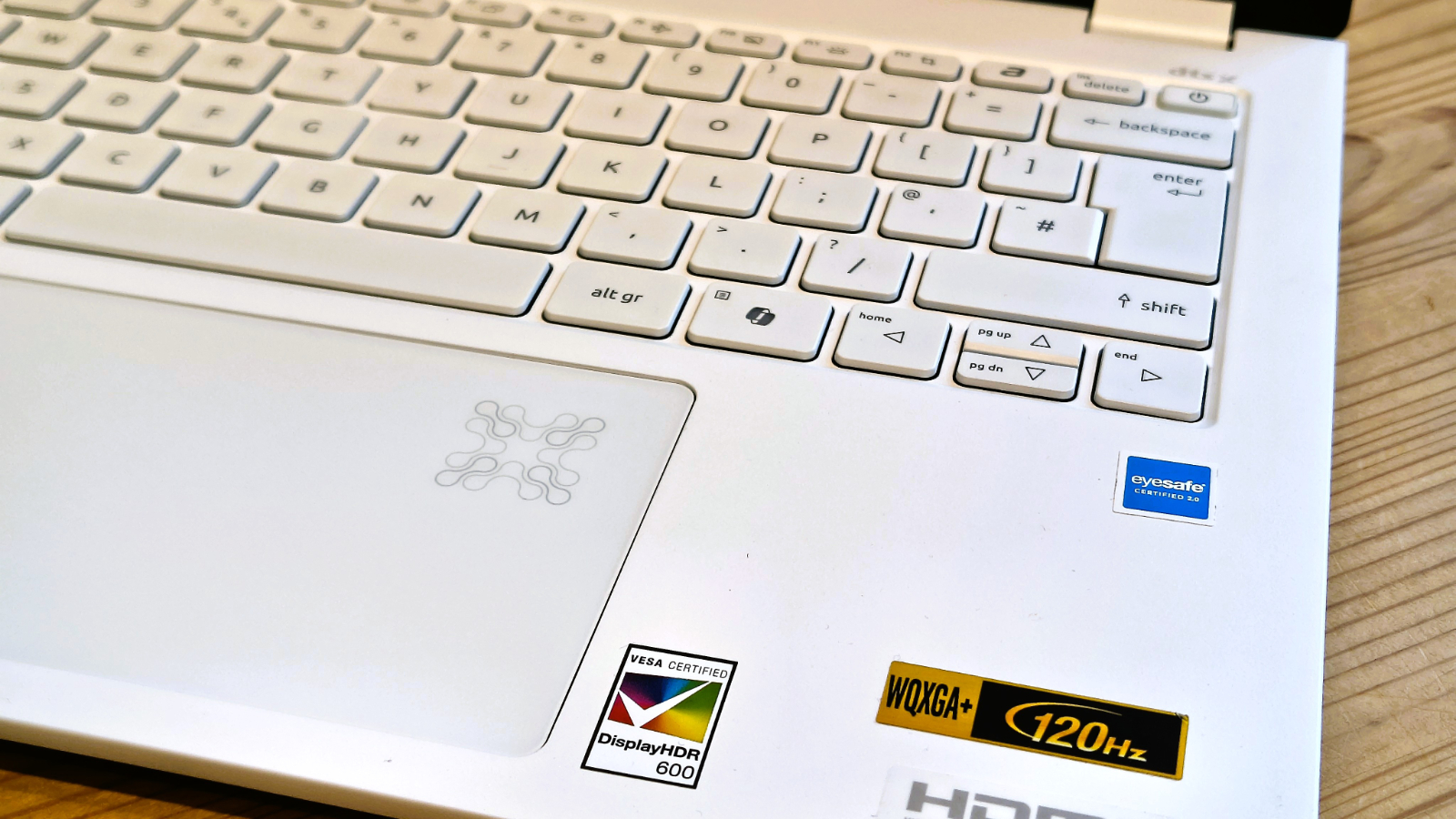
Another high point of Lunar Lake is that it places the LPDDR5X in much closer integration to the other parts of the system, using a non-upgradable Memory on Package (MoP) design. While previous Intel chips capped out at 6400 MT/s, the LPDDR5X-8533 used here offers lower latency and higher performance for AI and GPU operations.
The downside of using this memory model is that the RAM cannot be upgraded.
The GPU is Intel's Arc 140V with 64 Xe2 execution units boosting to 1,950MHz. This is a meaningful step up from the 96 EU Xe graphics in Meteor Lake and offers DirectX 12 Ultimate support, hardware raytracing, and Intel's XeSS upscaling.
It draws from the on-package memory pool and can handle Lightroom adjustments, DaVinci Resolve colour grading on 4K footage at reasonable resolutions, and light 3D viewport work without complaint. Gaming is possible at reduced settings in less demanding titles, but anyone expecting discrete GPU performance will be disappointed.
The NPU within the Lunar Lake SoC is rated at 48 TOPS, clearing the 40 TOPS threshold that qualifies the machine as a Copilot+ PC. This unlocks features including Windows Studio Effects on the webcam, Live Captions, and the broader Copilot+ feature set. Connectivity is handled entirely by Intel silicon: the Wi-Fi 7 module (identified in hardware data as device 0xA840) and Bluetooth 5.4 controller (0xA876) are both integrated into the Lunar Lake PCH, eliminating the third-party wireless card that most laptops require.
Storage comes via a 1TB M.2 PCIe 4.0 SSD, which is accessible (with effort -- nine screws secure the base panel) for replacement. Buyers who anticipate needing more storage should consider that at purchase time, since adding a second drive is not included.
While this, like almost all laptops these days, has limited upgrade potential, the system is honed to deliver a good user experience and performance suitable for a wide range of tasks.
- Hardware: 4 / 5
Acer Swift Edge 14 AI: Performance
|
Laptops |
Acer Swift Edge 14 AI |
Dell Latitude 9450 |
|
|---|---|---|---|
|
CPU |
Intel Core Ultra 7 258V |
Core 7 Ultra 165U |
|
|
Cores/Threads |
8C 8T |
12C 14T |
|
|
TPD |
17W-37W |
15W |
|
|
RAM |
32GB LPDDR5X |
32GB DDR5 (8x 4GB) |
|
|
SSD |
1TB Kingston OM8PGP4102Q |
512GB Kioxia BG6 |
|
|
Graphics |
Intel Arc 140V |
Intel Graphics |
|
|
NPU |
Intel NPU (47 TOPS) |
Intel NPU (40 TOPS) |
|
|
3DMark |
WildLife |
20,983 |
14,643 |
|
FireStrike |
8003 |
4676 |
|
|
TimeSpy |
4065 |
1453 |
|
|
Steel Nomad.L |
2989 |
1149 |
|
|
CineBench24 |
Single |
120 |
97 |
|
Multi |
389 |
465 |
|
|
Ratio |
3.24 |
4.82 |
|
|
GeekBench 6 |
Single |
2757 |
1653 |
|
Multi |
11148 |
6026 |
|
|
OpenCL |
29692 |
13892 |
|
|
Vulkan |
33890 |
10077 |
|
|
CrystalDIsk |
Read MB/s |
4805 |
4997 |
|
Write MB/s |
3905 |
4363 |
|
|
PCMark 10 |
Office |
8206 |
6293 |
|
Battery |
18h 28m |
19h 18m |
|
|
Battery |
Whr |
65 |
60 |
|
PSU |
100W |
60W |
|
|
WEI |
Score |
8.8 |
8.2 |
For my comparison, I originally considered the Acer TravelMate P6 14 AI, but that’s an almost identical platform to the Swift Edge, and the numbers didn’t tell much of a story.
Instead, I chose the Dell Latitude 9450 to show what a major upgrade the 200-series machines are over the previous 100-series.
What we are seeing here is a major ram in power efficiency, and what that provides for both thermal ranges and clock speeds.
With CPU-Z confirming a package power draw of around 4 watts at idle and temperatures in the mid-thirties, the Swift Edge 14 AI is evidently conservative with its thermal budget when nothing demanding is happening. Under load, the picture is more nuanced.
Acer configures a sustained PL1 power limit of 30W and a short-burst PL2 of 37W, taking it slightly above Intel's reference values, suggesting a high degree of confidence in the cooling solution. In extended workloads such as video encoding or large RAW batch processing, the fan becomes audible. It is not aggressive, but it is present, which is worth noting for anyone planning to use the machine in quiet environments.
Per-core clock speed data captured during testing shows the P-cores reaching 4,500MHz on a single boosting core, with the LP-cores running independently up to 3,700MHz on their own tasks. Intel Thread Director dynamically distributes work between the two pools, and in practice, scheduling is handled sensibly. Background tasks migrate to LP-cores and stay there unless priority changes, conveniently.
When you consider that the Intel Core Ultra 7 258V has significantly fewer cores than the Core 7 Ultra 165U, it consistently delivers more compute, AI and GPU performance across the board.
The Arc 140V GPU proves its worth in tasks that conventionally required discrete silicon. Export times in Adobe Lightroom Classic with AI Denoise applied are substantially faster than equivalent Iris Xe workloads from the previous generation. DaVinci Resolve colour work on 1080p footage runs smoothly, though complex node stacks at 4K are probably asking the machine to work too hard. If you need to edit a 4K video, then consider something with a discrete GPU onboard.
In the same vein, games are possible but best treated as an occasional bonus rather than a primary use case. Older titles at 1080p with reduced settings run acceptably, while current AAA releases are better left to machines with discrete GPUs.
Battery life is one of the more compelling parts of the Swift Edge 14 AI's pitch. The 65Wh cell is substantial for a machine this light, and the efficiency of the Lunar Lake platform means it goes a long way. I should say that the Acer TravelMate P6 14 AI lasted another 2.5 hours, but its performance numbers overall were lower. Nearly 18.6 hours is still a great result, and should get even the most dedicated worker through a whole day.
The 100W USB-C charger in the box is fast enough to recover a meaningful charge during a short break, recovering 37% in just 30 minutes from zero charge.
These days, I always test laptop displays with a DataColor Spyder X2 calibrator, but the OLED panel on this machine does not work well with the software's analysis. Where it revealed that the panel has a superb 100% of P3 Gamut, it couldn’t work out the contrast or Gamma levels at all.
The OLED panel's brightness peaks at levels that make indoor use comfortable under practically any overhead lighting condition, and the 120Hz refresh rate keeps scrolling and cursor tracking smooth throughout. The Gorilla Matte Pro screen treatment does what it claims, keeping outdoor reflections manageable without noticeably impacting the OLED's characteristic contrast.
One detail that’s missing from my data chart is the weight of these machines, and that’s remarkably telling. The Acer is under 1kg, and the Dell is closer to 1.5kg.
Overall, on an Intel machine, the Acer Swift Edge 14 AI delivers top-drawer performance.
- Performance: 4.5 / 5
Acer Swift Edge 14 AI: Final verdict
The Swift Edge 14 AI is the machine you reach for when the weight of a laptop has started to feel like part of the problem rather than part of the solution. At under a kilogram, it genuinely changes how you think about carrying it, without requiring any of the structural compromises that thinner, lighter machines sometimes hide.
The display is the obvious headline. A 3K OLED panel at 120Hz with Gorilla Matte Pro glass is not something you find at this price point very often, and it delivers on the promise in everyday use. The anti-reflective treatment is genuinely effective rather than token, which matters if any of your work takes place anywhere other than a controlled office environment.
Under the surface, the Lunar Lake architecture brings a memory subsystem that competes well on bandwidth against more expensive configurations, a chip that handles sustained workloads without melting its surroundings, and enough AI headroom to qualify for the full Copilot+ feature set. The Arc 140V GPU is not a gaming chip, but it is an effective creative tool, and the distinction is worth drawing.
The compromises are real and should not be minimised. The memory cannot be upgraded, ever. The webcam and speakers are both average for the asking price. There is no MicroSD slot. If any of those limitations are dealbreakers, they should be assessed honestly before purchase.
For buyers who want a genuinely portable machine with an exceptional display, solid real-world performance, and a port selection that does not require a dock, the Swift Edge 14 AI makes a strong case.
Should you buy a Acer Swift Edge 14 AI?
|
Value |
A great price for this spec |
4.5/5 |
|
Design |
Lightweight magnesium chassis and a decent port selection |
4/5 |
|
Hardware |
Intel Core Ultra 200 Series CPU, gorgeous OLED screen and excellent battery life |
4/5 |
|
Performance |
Similar to other Core Ultra 7 258V systems, but with a little more punch |
4.5/5 |
|
Overall |
Super-practical system with enough battery for a long working day and a workable port selection. |
4.5/5 |
Buy it if...
You need a highly portable machine
If you travel regularly and are sensitive to weight, a 990g bag is genuinely different from a 1.4kg bag. Its associated charger doesn’t add much extra, considering it outputs 100W.
Display quality matters to your work
The OLED panel with Gorilla Matte Pro is a cut above the field at this price. It delivers incredible contrast and a superb colour gamut for those working with visuals.
Don't buy it if...
You like to upgrade
The 32GB LPDDR5x memory is soldered onto the mainboard and cannot be upgraded. Users looking for long-term flexibility or future-proofing may find this limiting, especially if workloads grow more demanding over time.
You want the highest levels of performance
Compared to the latest AMD Ryzen AI machines or the Intel 300 series ones coming, the processor and graphics in this system aren’t the quickest available.
If compute power is paramount, and battery life is less important, then consider a system that uses the AMD Ryzen AI 395 Max+.View Deal




