

The Carbon 2 Combo follows hot on the heels of the Centauri Carbon launched last year, and is aimed as a family friendly multicolour filament machine. While we expected the multicolour filament system for the Carbon, this is still in development and is expected later in the year.
The Centauri Carbon 2 Combo is not only a worthy addition to the original Centauri but also offers a slightly different take on the multifilament design, although it doesn’t stray too far away, offering four-filament printing at an extremely budget-friendly price.
When the Centauri Carbon launched, it stood alone as a machine that was exceptionally cheap for what was on offer, and while the Centauri Carbon 2 Combo is still an engineering machine that comes in at a relatively low price, it now has competition from most of the other main manufacturers, so it doesn’t stand out to the same degree.
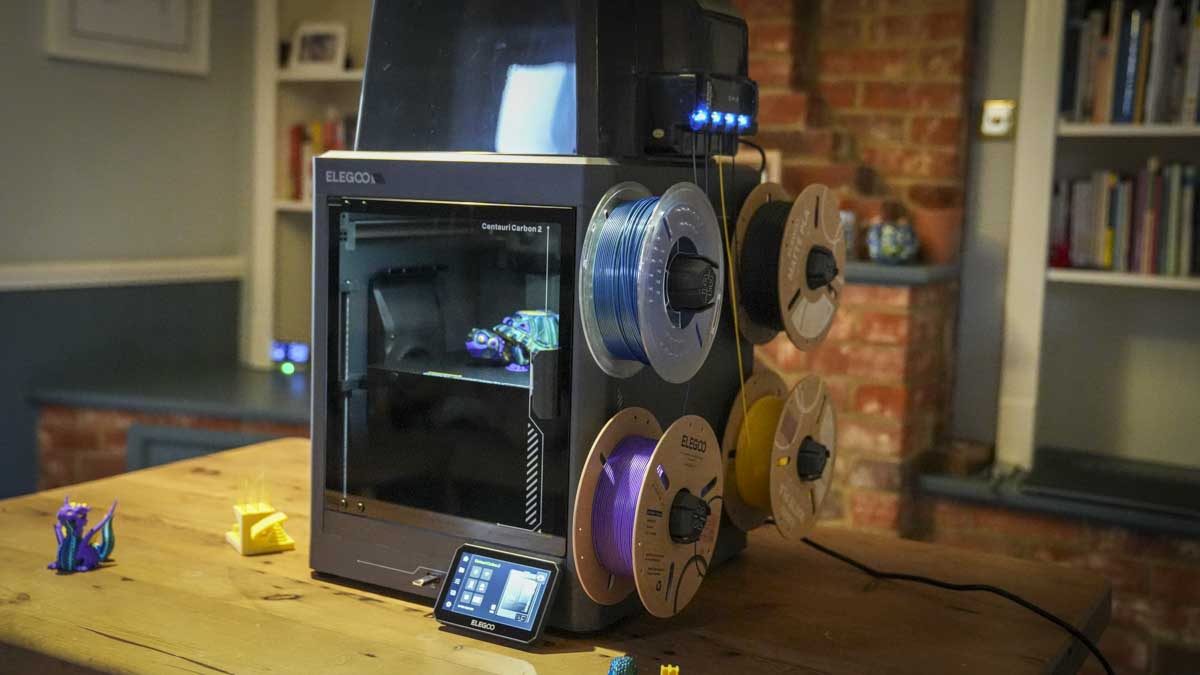
That said, the Carbon 2 Combo is a solid machine with its sturdy build, and unusually for a multifilament machine at this price, an almost completely enclosed design, although the filaments are still left exposed on the outside of the machine before being passed through the Elegoo CANVAS system into the single nozzle head inside.
Having tested the original Carbon and been impressed, this new iteration is certainly exciting, even more so when the quality of the machine is revealed as it’s removed from the box.
Elegoo Centauri Carbon 2 Combo: Price and availability
The Elegoo Centauri Carbon 2 Combo is available now and can be purchased directly through the Elegoo US website for $449, and via the Elegoo UK website for £399.
- Value: 5 / 5
Elegoo Centauri Carbon 2: Design
Once again, the Centauri Carbon 2 Combo is a solid and slightly weighty machine considering its small size, coming in at 19.69 x 18.90 x 29.25 inches and weighing 42.66 lb.
While the machine itself does look and feel quite small, once you've put the Perspex top in place to make it completely enclosed and popped the four reels onto the side of the machine, it does start to add to the size and bulk of the unit. But it’s still far smaller than many of the larger fully enclosed systems that I’ve reviewed in the last year.
Again, the styling is nicely product-designed with the main framework of the machine being made out of metal, which gives it that sturdiness and weight, essential for COREXY. Likewise, the four filament reel holders on the side slot on brackets are secured through bolting onto the body, and again, they hold firm and tight and have an exceptionally high-quality feel.
The one oddity is the box that sits on top of the machine. It's very much like the protective covers that you use on resin printers and simply slots over the top of the feeder tubes from the CANVAS unit that's bolted to the top right of the machine.
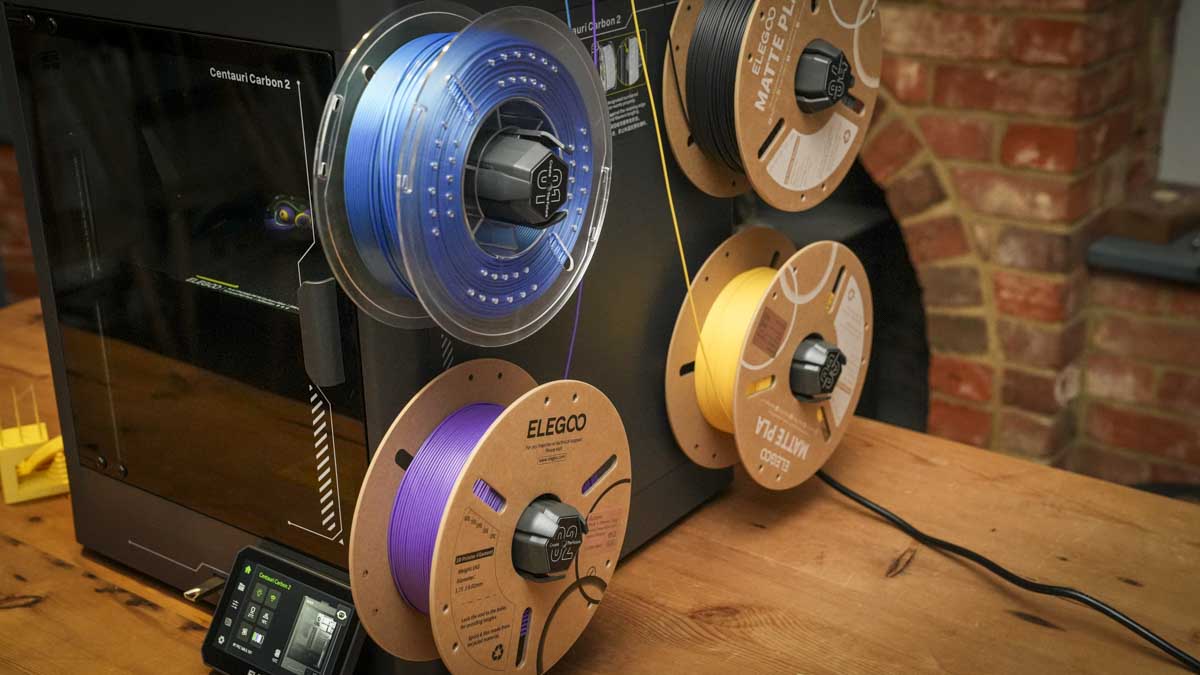
Compared with the advanced multifilament boxes with filament drying, this all seems just a little bit more basic, but then again, this is a cheaper multifilament machine than some others, and when you compare it against the likes of the newly released Anycubic Kobra X, it does feel like a level up.
That, and the fact that alongside the use of metal for the main frame, it features a glass door and otherwise very clean industrial styling with very Elegoo futuristic graphics, that do give it an enthusiast rather than professional look.
One of the major features that stands out is the new integrated CANVAS system, which needs to be installed when the machine arrives. Essentially, there’s a single bracket that screws into the top of the machine, and the CANVAS is then mounted onto the bracket. Once it’s attached and that Perspex top is put in place, it all feels nice and secure, if not as product-designed as the rest of the machine.
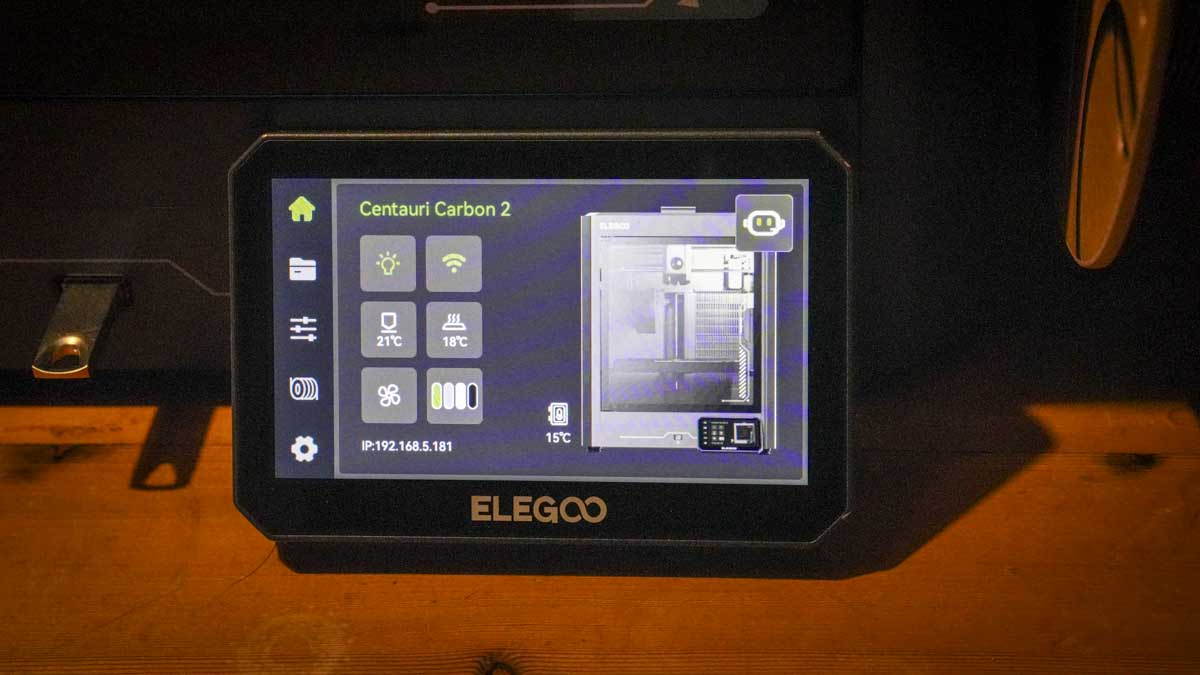
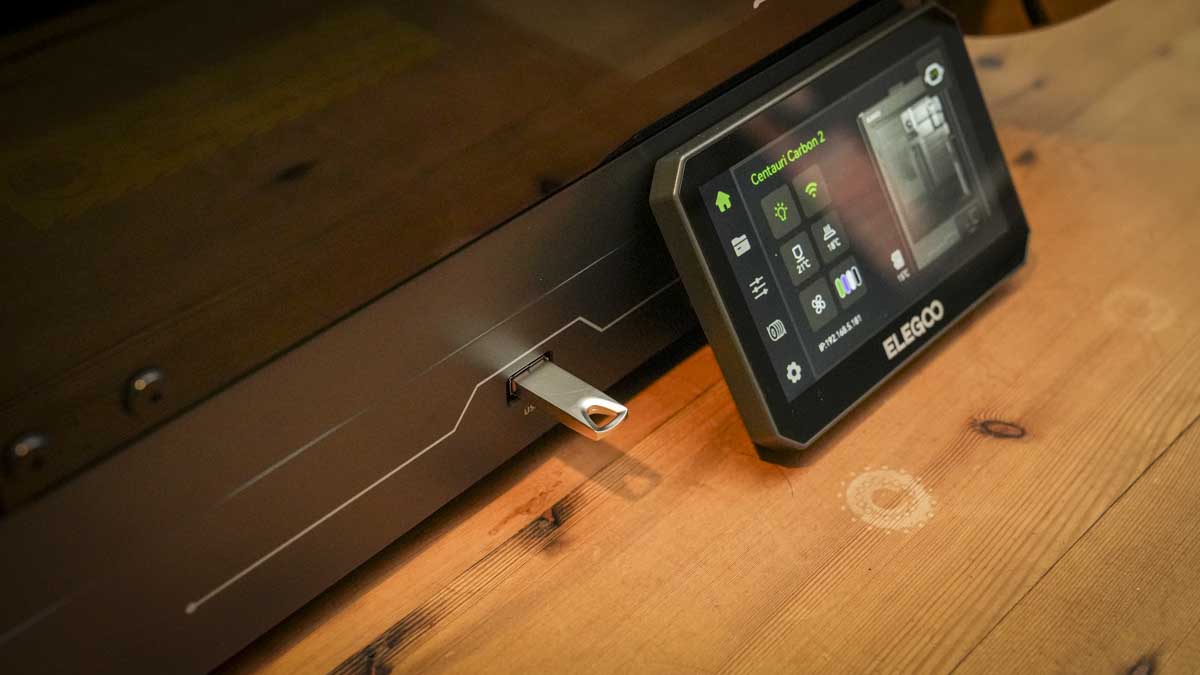
When it comes to control, Elegoo has really worked at slicing software, and it's pretty much in line with the rest of the industry when it comes to functionality and ease of use. But what really stands out is the front-mounted touchscreen, which again is nice and large, clear and easy to navigate. And with RFID filament reels, it’s extremely easy to use, recognising the filaments that you’ve installed, so you don’t need to go in and manually program them.
- Design: 4 / 5
Elegoo Centauri Carbon 2: Features
Print Technology: Fused Deposition Modelling (FDM)
Build Area: 256 × 256 × 256 mm
Nozzle Diameter: 0.4 mm (included)
Maximum Nozzle Temperature: 350 °C
Maximum Heated Bed Temperature: 110 °C
Print Speed: Up to 500 mm/s
Dimensions: 398× 404× 490mm
Filament: PLA,PETG,PLA-CF,ABA, ASA,PC,PA,PET
Weight: 17.65 kg
Minimum Layer Resolution: 0.08mm
Maximum Layer Resolution: 0.48mm
Bed: Heated bed
Print Surface: Flexible build plate (removable and bendable)
Software: ElegooSlicer (recommended)
Input File Formats: STL, OBJ, 3MF, STEP
Output File Format: G-code
Connectivity: USB Drive, Wi-Fi
Input Power: AC 100–240V, 50/60Hz
Rated Power: 1100W @ 220V / 350W @ 110V
Ambient Operating Temperature: 5°C to 40°C
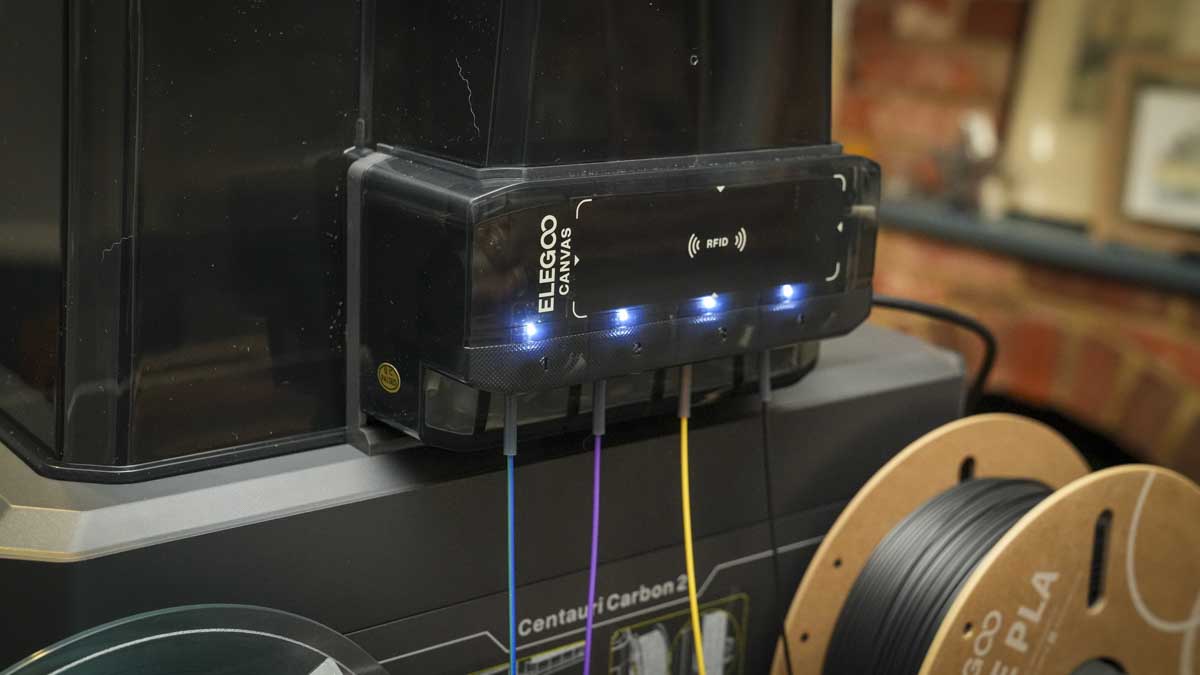
One of the big new features of the Centauri Carbon 2 is, of course, the fact that you can now do multicolour 3D printing. It does this by means of the CANVAS system, which is bolted to the side of the machine with four filaments mounted on the side feeding through into a single nozzle printhead. It looks a little bit different from most other multicoloured systems on the market, but functions much the same.
Like the original Centauri Carbon, this machine is once again aimed at beginners, hobbyists and anyone who's looking for a relatively small, multifilament-ready machine that can handle engineering materials but is slightly limited for space, and, of course, budget.
What surprised us about the original Centauri was that its price did not reflect its quality. It was an absolutely superb machine for not a great deal of money, and once again, the quality of the Centauri Carbon 2 is of exceptionally high quality. Even against other relatively budget multifilament machines, it is in a class of quality of its own.
The biggest innovation of this new machine is the new CANVAS system. This is essentially a box that sits on top of the machine and feeds the filaments mounted on the side of the machine into the Tool head inside. In order to make the machine fully enclosed, or at least the print area, that Perspex box sits on top, essentially making it almost airtight, giving a far more controlled printing environment than that of the open-style printers that are much more common at this end of the market.
One of the aspects that I like about this machine is the design of the CANVAS system. From the outset it’s just easy to use and as soon as you place the filament into the feeder tube, it’s grabbed and pulled through the system. It doesn’t involve you having to manually feed filament through. Once it’s in, you know it's inserted properly, and the machine essentially handles the rest of the process for you.
Another feature now becoming more common across all 3D printers is the RFID-based filament detection. If you're using the Elegoo RFID filament reels, you can essentially just tap these onto the machine over the RFID reader, and the filament will be recognised before it's used in the system. This means you can't accidentally use ABS to print with a PLA profile.
As with many other manufacturers, Elegoo has its 3D print community platform, which enables the easy sharing of 3D print models and the Elegoo community. This also means that you can instantly download files from the NexaPrint platform directly to the printer without needing to do your own modelling or download from other systems, which just helps to streamline the process for those just getting into 3D printing.
Once again, the machine uses the CoreXY mechanism, which makes it incredibly fast compared with the old Cartesian-style machines. And whilst it still makes a noise when printing, it is relatively low, which makes it a good option if you are using this in the home or in a small office.
As we saw in the Centauri Carbon and in most 3D printers these days, there is a 5-inch touchscreen with an intuitive interface that makes it easy to navigate both the prints and the printer settings.
When it comes to nozzle temperature, the machine is capable of going up to 350°C. This is enough for most engineering materials and elevates this above most other entry-level machines. The enclosed print environment also helps with more complex materials such as ABS and nylon, which require a more stable printing environment to avoid warping and other print defects.
As we’ve now seen across the board from other 3D print manufacturers, there are all of the new features that come with these CoreXY machines that we’ve come to expect, including fast printing, smart auto-levelling, temperature control and, most importantly, consistency across the prints regardless of the material used.
- Features: 4.5 / 5
Elegoo Centauri Carbon 2: Performance
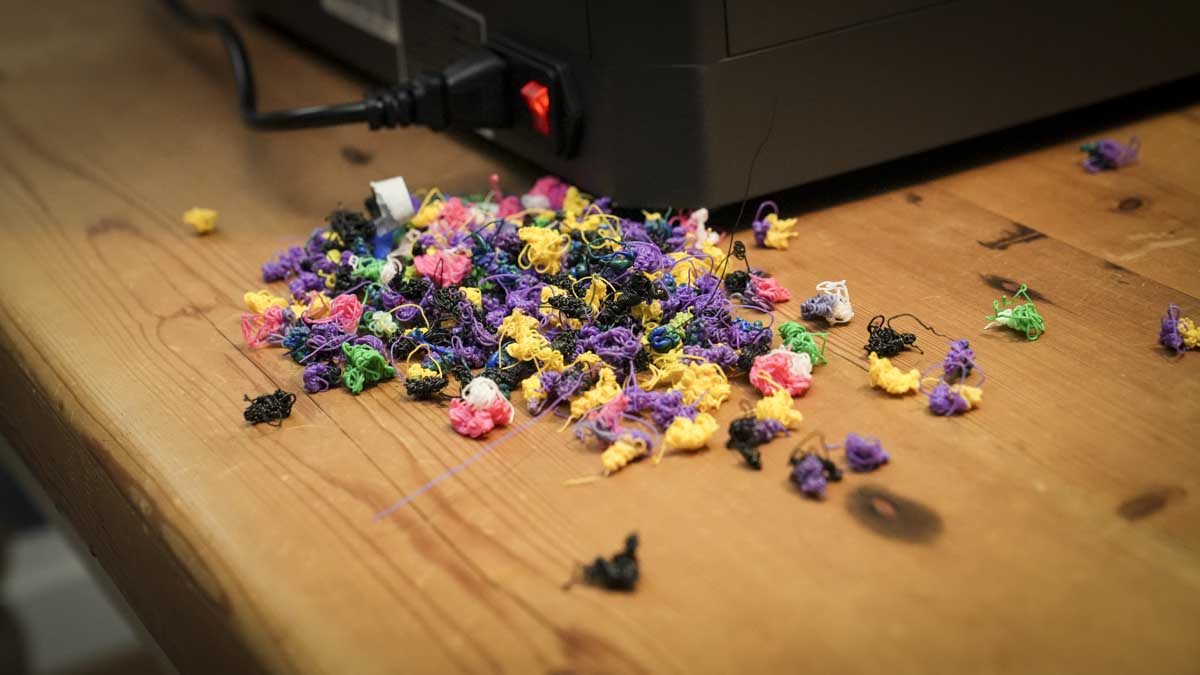
I started off with the Centauri Carbon 2 by just running through a series of pre-installed models and was impressed instantly with the quality of model it was capable of producing. Checking out the layer quality of the single filament prints showed just how high-quality a printer this is, which is even more impressive considering the price.
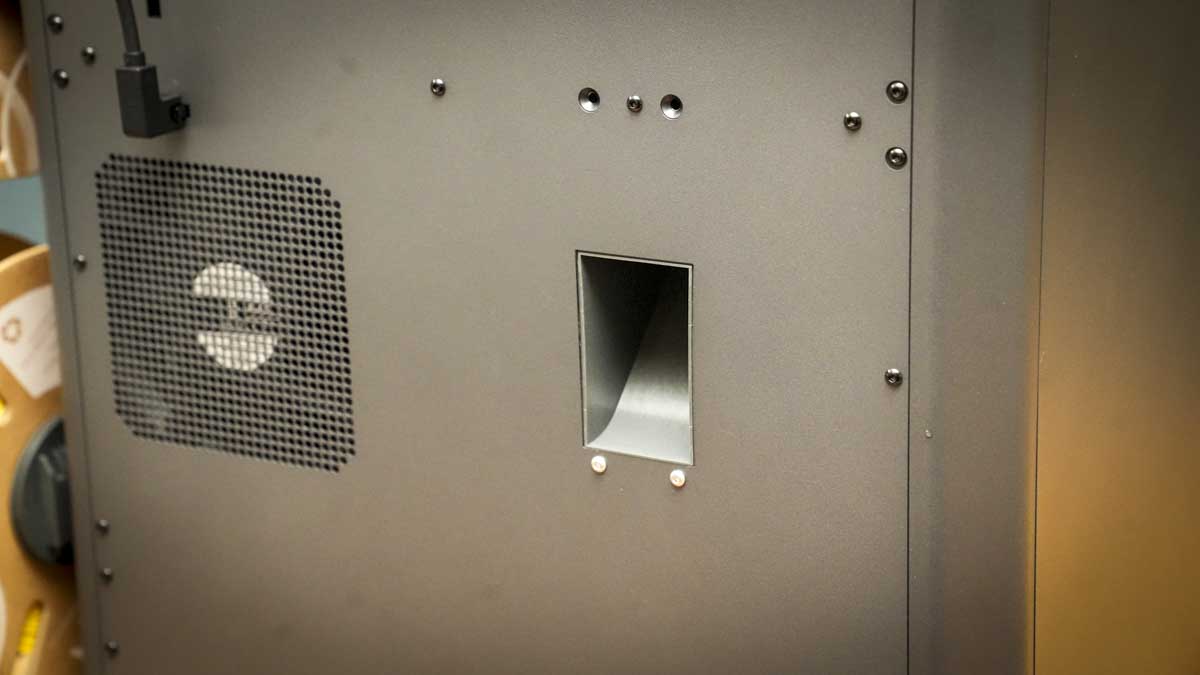
Having run through the single filament prints in a relatively short time, I moved on to the multifilament print. Here, they’ve only included a couple to get started with, one of which is the Elegoo logo on a small badge. Again, this printed in a relatively quick time and, like when used for just a single filament print, the machine started its purging process out of the back, with a small pile of filament building up as each colour was swapped through the CANVAS system to create the print.
While the conditions at the moment are exceptionally cold, around 0°C outside and around 19°C in the workshop, that temperature unfortunately does drop, and the humidity is slightly higher due to the time of year, with the constant rain in the UK. This has meant that, through the test, initially I had the reels mounted on the outside of the machine in the workshop, and some very fine filament hair was appearing on the multicoloured print.
I then moved the machine into the office and replaced the filament, at which point the filament hair disappeared, and the print was clean. This is worth considering, as unlike some of the more expensive multifilament printers that keep the filament in a dry box so it stays in top condition, here, while the machine itself is fully enclosed, the filaments are left exposed on the outside. So, if you are in a workshop or studio where temperatures and humidity can drop and build, this is something to be aware of.
Another point to note is that the filament holders on the side hold card reels well and securely, although with some plastic reels, I had a couple of occasions where the Elegoo PLA reel slipped off the holder. I ended up putting a small rubber sticker onto one of the sides of the holder, which just helped to grip the reel's inner a little more robustly.
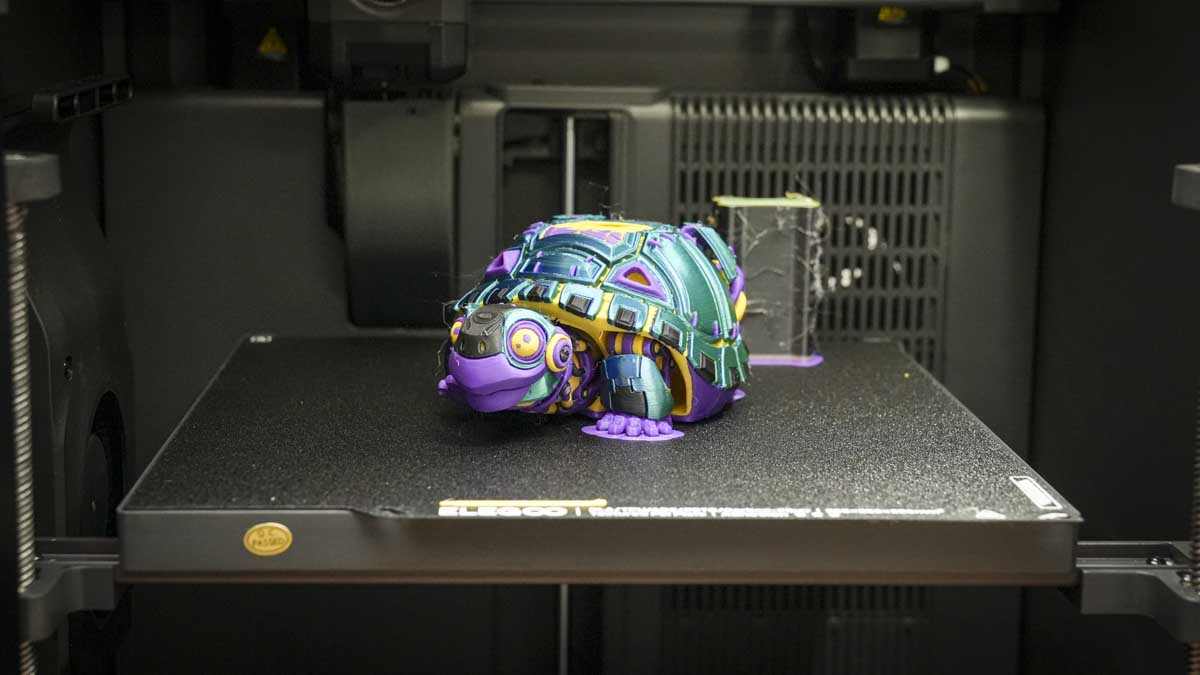
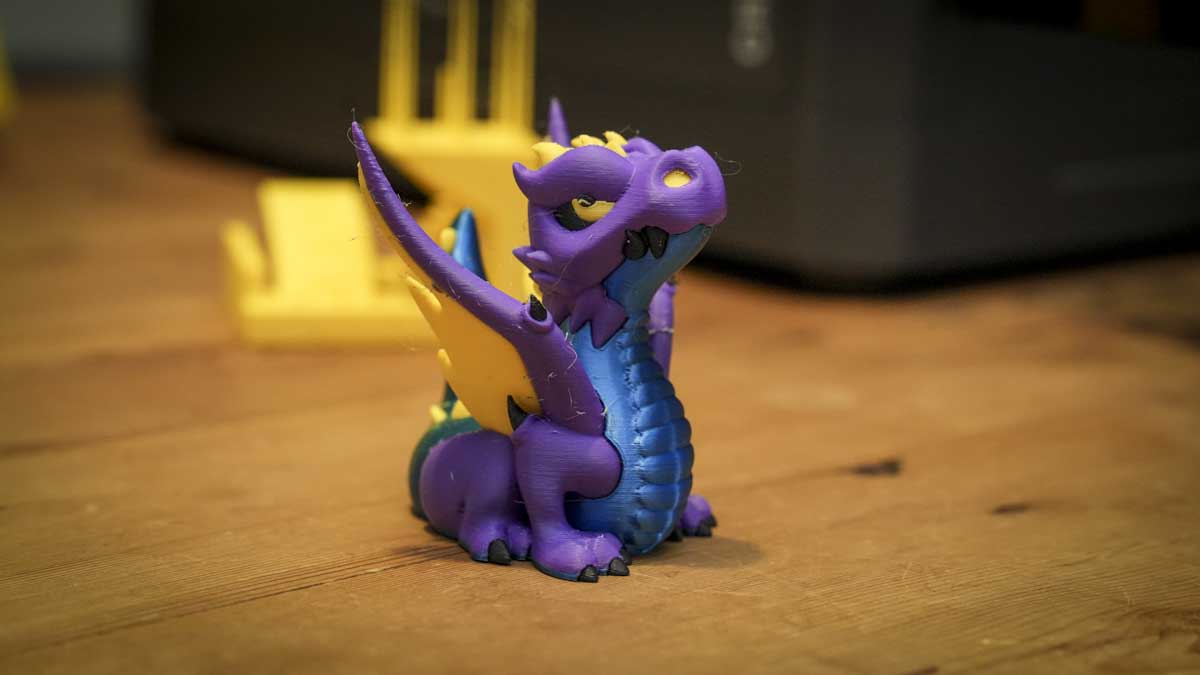
As the prints came off the print bed, the printer didn’t fail to impress. The multifilament printing quality is exceptionally good, with clean lines, and when I did a print with white and purple, there was very little contamination between those two filaments, which is an issue that I’m increasingly seeing with some of the cheaper multifilament 3D printers.
When it came to some of the more standard 3D printing traits, the quality of the print was exceptionally good, with the dimensional accuracy being well handled, no doubt helped by that enclosed print environment. While there are some small issues, especially with dimensional accuracy, the overall quality is more than enough for most home and small business users, even if you want to make functional parts.
While standard single and multiple printing is all very well and good, this is the Centauri Carbon 2, so it’s designed to work with engineering materials, not just standard PLA. Taking a look at some common filaments, I was pleased to see the Centauri Carbon 2 was once again able to print with these materials as easily as standard ones, and they seemed to feed through the CANVAS system far more reliably than I’ve found with some of the other multifilament options available. Print quality once again was exceptionally good, and dimensional accuracy really stood out, which is impressive considering the price of this machine.
If you are a small business looking to make functional parts on a budget, then the Centauri Carbon 2 really does live up to expectations.
The one issue here is that, while you can print with these advanced materials, compared with the likes of the H2D and some of the other larger machines, your print area is rather limited, but will still give you good flexibility over what it is that you're printing.
For some more advanced users, this is quite a locked-down system, with very little flexibility, especially through the Elegoo slicer, to really dive deep into the machine settings. It’s good to see that there is live printing and remote monitoring through the software, meaning that for small businesses, this is a really good and affordable option.
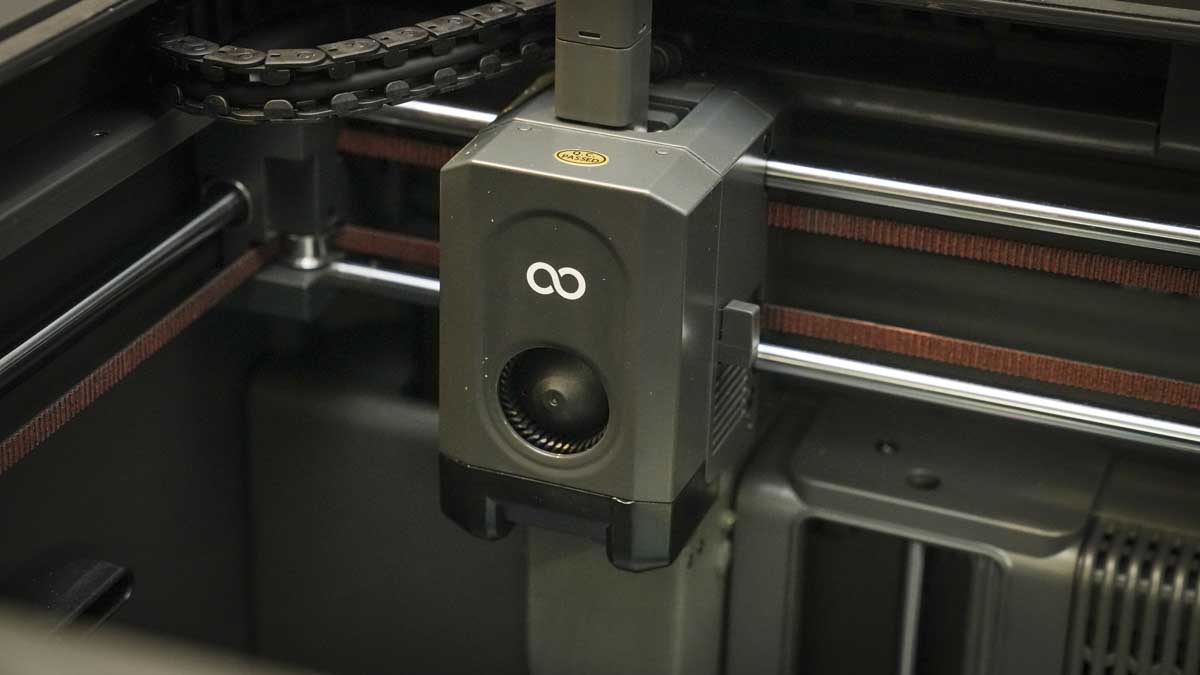
While standard single and multiple printing is all very well and good, this is the Centauri Carbon 2, so it’s designed to work with engineering materials, not just standard PLA. Taking a look at some common filaments, I was pleased to see the Centauri Carbon 2 was once again able to print with these materials as easily as standard ones, and they seemed to feed through the CANVAS system far more reliably than I’ve found with some of the other multifilament options available. Print quality once again was exceptionally good, and dimensional accuracy really stood out, which is impressive considering the price of this machine.
If you are a small business looking to make functional parts on a budget, then the Centauri Carbon 2 really does live up to expectations.
The one issue here is that, while you can print with these advanced materials, compared with the likes of the H2D and some of the other larger machines, your print area is rather limited, but will still give you good flexibility over what it is that you're printing.
For some more advanced users, this is quite a locked-down system, with very little flexibility, especially through the Elegoo slicer, to really dive deep into the machine settings. It’s good to see that there is live printing and remote monitoring through the software, meaning that for small businesses, this is a really good and affordable option.
Elegoo Centauri Carbon 2: Print quality
3D print Test 1
Dimensional accuracy - score of 5
Target 25 = X: 24.93mm / 0.07mm Error | Y: 24.85mm / 0.15mm Error
Target 20 = X: 19.97mm / 0.03mm Error | Y: 20.01mm / 0.01mm Error
Target 15 = X: 14.94mm / 0.06mm Error | Y: 14.95mm / 0.05mm Error
Target 10 = X: 9.96mm / 0.04mm Error | Y: 9.88mm / 0.12mm Error
Target 5 = X: 4.99mm / 0.01mm Error | Y: 5.01mm / 0.01mm Error
X Error Average = 0.042
Y Error Average = 0.068
X&Y Error Average = 0.055
Fine Flow Control - score of 5
Fine Negative Features - score of 5
Overhangs - score of 4
Bridging - score of 5
XY resonance - score of 2.5
Z-axis alignment - score of 2.5
Adding up the totals gives a final score of 29 out of 30.
- Performance: 4.5 / 5
Elegoo Centauri Carbon 2: Final verdict
Elegoo needed to produce a near-perfect machine with the Centauri Carbon 2, as the original had really surprised the market when it arrived due to its quality and price. While there was some upset when it was announced that there would be no multifilament upgrade for the Centauri Carbon, Elegoo have gone some way to address this with a decent upgrade offer for Centauri owners to the Centauri Carbon 2.
While that still hurts a bit, because you are having to buy an all-new machine, the cost of this new model is only a little more than some other manufacturers charge for the multifilament dry boxes and there is a loyalty program from Elegoo which if you are a Centuri Carbon owner is well worth checking out.
When it comes to print quality, the detail and accuracy of the prints really do stand out, and while there are some imperfections, once again considering the level of this printer, especially when you compare it with printers of the same price from other manufacturers, this is exceptional value. Not only does it stand alongside some of the market leaders, but because it's able to handle engineering materials and has that fully enclosed environment, it is still one of the best-value 3D printers on the market.
Now Elegoo have two phenomenal 3D printers: the Centauri, which really takes the market for single filament engineering printing on a budget, and now the Centauri Carbon 2 offering multifilament printing at the same quality with a similarly sized machine. You have two affordable options for home and business that really don’t fail to impress in almost every way.
Should I buy the Elegoo Centauri Carbon 2?
|
Value: |
Once again, Elegoo has created an exceptional value machine—this time in multifilament printing. |
5 |
|
Design: |
Solid, robust and nicely designed, although the Perspex top does look a little peculiar |
4 |
|
Features: |
For a machine of this price, it’s packed with features and offers far more than the competition. |
4.5 |
|
Performance: |
Decent performance all round—just make sure you keep the filament in excellent condition. |
4 |
|
Total: |
An exceptionally low-cost printer to enable you to print usable multicoloured parts on a budget. |
4.5 |
Buy it if…
You have the Centauri Carbon
If you bought the original and you're not thrilled that the filament upgrade was not available, then the Centauri Carbon 2 is an equally impressive printer with multifilament added.
You're printing engineering materials
It was only a couple of years ago that you'd have to pay well over £1000 for any machine that could print engineering materials. Now, with the Centauri Carbon 2, you have a very affordable option.
Don’t buy it if…
You only print single filaments
While multifilament printing is the direction most are heading, many people still stick to single filament most of the time. If that’s the case, then the Centauri is still a superb option.
You want a modular printer
This is very much an out-of-the-box and use machine. So if you want something more modular, this might not be the best option for you—it’s best used as is.
For more top-performing models, see my guide to the best 3D printers I've tested and reviewed




