

MailerLite is an email marketing platform built for small businesses, creators, and freelancers who want professional results without a steep learning curve. It covers the essentials — newsletter campaigns, automation workflows, landing pages, sign-up forms, and pop-ups.
Since the last couple of years, the platform has added a ton of meaningful updates: an AI writing assistant, a Smart Sending feature that optimizes delivery times for individual subscribers, and an MCP server that lets you control MailerLite through AI tools like Claude or ChatGPT.
There's also been a push toward improving monetization. MailerLite now lets you sell digital products, run paid newsletter subscriptions, and offer bookings directly through the platform. These aren't the deepest implementations you'll find, but for small operators who want everything in one place, they reduce the need to stitch together separate tools. The free plan still gives you a workable starting point, though the subscriber limit has dropped from 1,000 to 500 in 2026.
My experience with MailerLite
MailerLite makes a solid first impression. Setup takes minutes, while the interface holds up well even as you start working with automations and segmentation. The drag-and-drop editor is one of the better ones we've tested at this price point. The AI writing assistant added in late 2023 is a useful drafting aid when you're stuck — it won't write campaigns for you, but it takes the edge off a blank page.
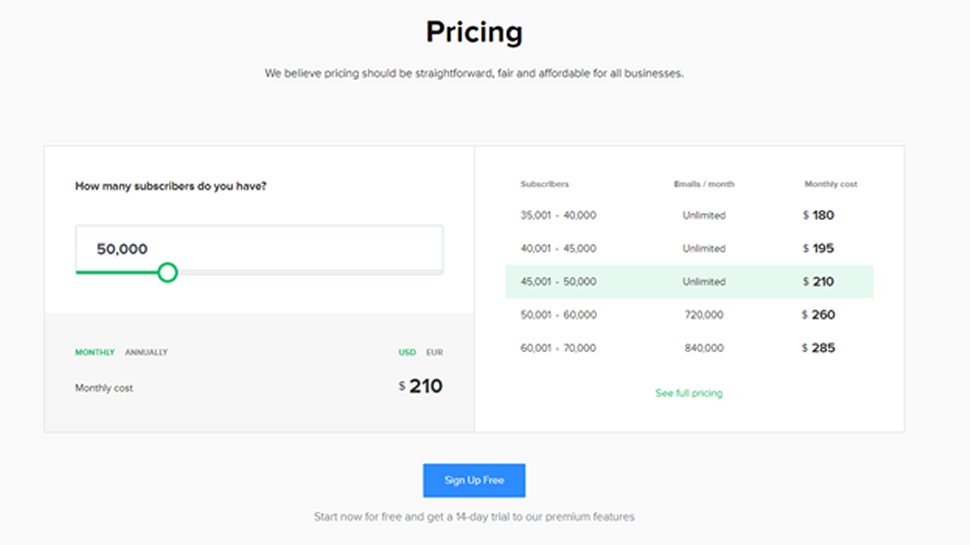
It mostly earns its reputation from making mid-tier features feel accessible. Automation workflows, A/B testing, and subscriber segmentation are all present without being buried. For a small business or solo creator, that combination is hard to argue with at these prices. The one structural caveat: Growing Business users max out at 50,000 subscribers, so larger lists move to Advanced or Enterprise territory.
There are more limitations worth flagging before you sign up. There's no built-in spam testing, so you'll need a third-party tool like Litmus if deliverability is critical to your workflow. The free plan's 500-subscriber cap is also more restrictive than several competitors, which may push new users toward a paid plan earlier than they'd expect. At least the 14-day trial of premium features gives you a fair window to evaluate before committing.
MailerLite: Plans and pricing
|
Plan |
Starting rate (billed monthly) |
Starting rate (billed annually) |
Subscriber count |
|---|---|---|---|
|
Free |
$0/month |
$0/month |
Up to 500 |
|
Growing Business |
$10/month |
$9/month |
500-50,000 |
|
Advanced |
$20/month |
$18/month |
500-500,000 |
|
Enterprise |
Custom |
Custom |
100,000+ |
MailerLite has a free tier but with limited features. This tier supports a maximum of 12,000 monthly emails to 1,000 subscribers. It gives you access to basic features like a drag & drop email editor and email automation builder. You can also create sign-up forms and landing pages on this tier.
If you want more advanced features, you'll need a premium tier, and MailerLite offers three such tiers; Growing Business, Advanced, and Enterprise. The Growing Business plan costs $10 / £10 / AUD$15 per month for up to 1,000 subscribers and increases according to the number of subscribers. For example, 10,000 subscribers on this plan will cost $54 / £50 / AUD$79 per month and 50,000 subscribers will cost $239 / £210 / AUD$350 per month. This plan gives you access to sophisticated features like dynamic emails and auto-resend campaigns.
The Advanced plan costs $21 / £21 / AUD$30 per month for 1,000 subscribers and increases according to the number of subscribers. For example, 10,000 subscribers on this plan will run you $87 / £85 / AUD$125 per month and 50,000 subscribers will cost $289 / £270 / AUD$450 per month. This plan gives you a dedicated account manager, a dedicated IP address, and 24/7 live chat & email support among other features.
While the Advanced plan can be scaled up to 500,000 subscribers, businesses with over 100,000 subscribers can also opt for the Enterprise plan, which might offer better terms. You’ll have to contact MailerLite’s sales team for a custom quote.
MailerLite offers a 30-day free trial for each of its premium plans. You’ll also get a significant discount if you pay annually instead of monthly.
MailerLite: Features
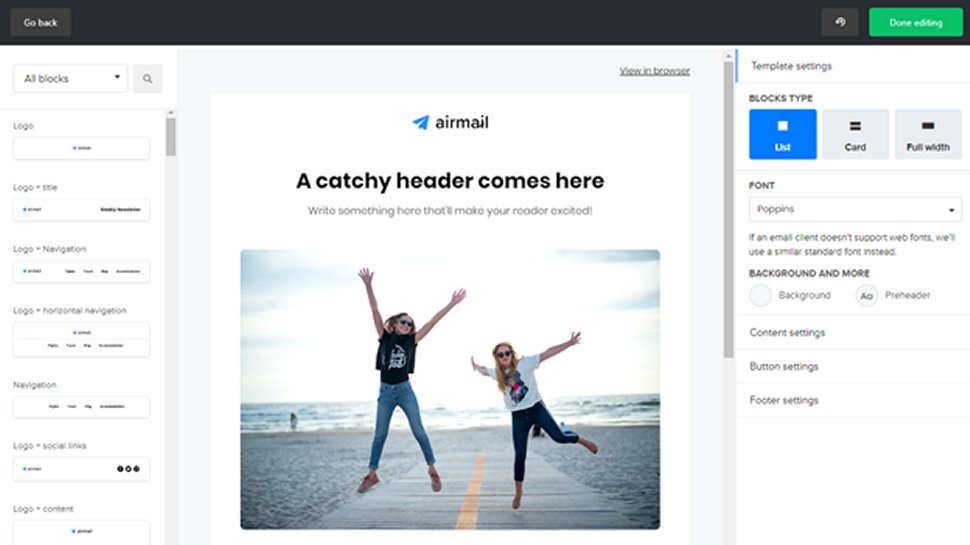
You can create email marketing campaigns with MailerLite using a drag-and-drop editor, rich text editor, or custom HTML editor. With a paid plan, you have access to 63 templates. They’re OK designs, but most of MailerLite’s competition offers more variety.
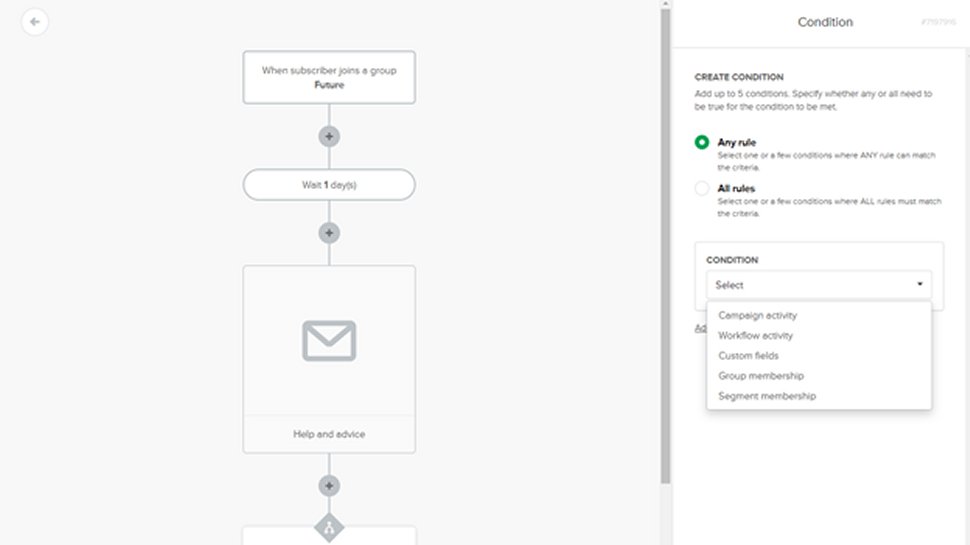
However, MailerLite goes beyond email newsletters with a robust set of tools for creating landing pages, forms, pop-ups, and even entire websites using a drag-and-drop editor. There are also strong campaign reports that can show you how many people have opened your emails based on their location.
You can optimize campaigns with A/B split testing, time zone delivery, personalization, and segmentation. We particularly like how easy it is to tweak and resend a campaign to people who didn’t open the email the first time.
MailerLite: Interface and use
We found MailerLite particularly intuitive to use. Its simple interface and well-designed editors meant we spent less time learning the product and more time actually marketing. MailerLite is organized so that features like automation workflows, the landing page editor, and segmentation aren’t a distraction when you don’t need them.
However, in our testing, MailerLite performed rather poorly in deliverability, achieving around 80% deliverability with a 20% chance of being flagged as spam. In comparison, Sendinblue achieved a 95% deliverability rate.
MailerLite: Support
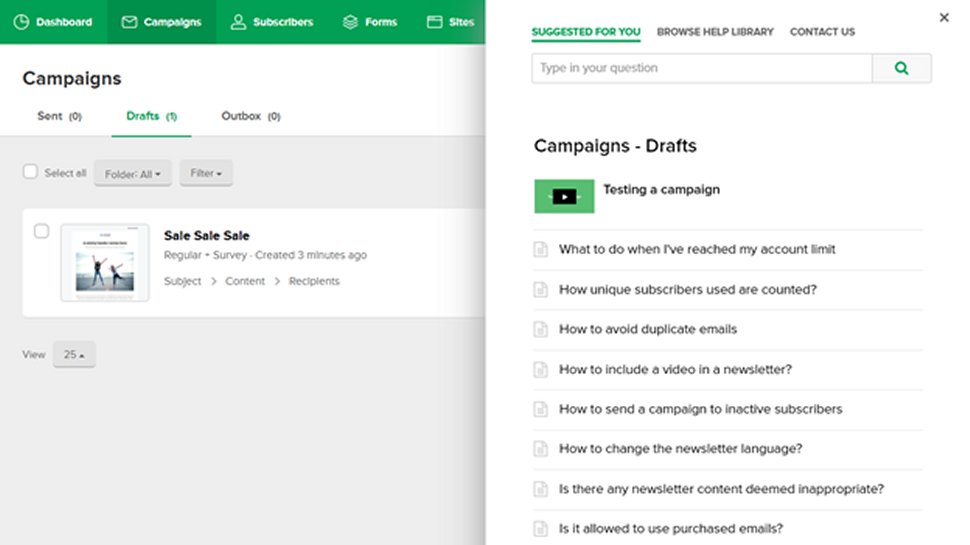
MailerLite provides direct support through email and live chat. Free-tier users have access to email support from Monday to Friday. Users on the Growing Business plan have access to 24/7 email support, while users on the Advanced and Enterprise plan have access to 24/7 live chat and email support.
Apart from direct support, every user can access MailerLite’s official Knowledge Base, which contains a plethora of articles concerning all the platform's features. For example, you can find manuals on how to integrate MailerLite with third-party apps or how to create and send email campaigns. There's also something called the MailerLite Academy, which provides free online courses for users to learn about email marketing.
If you need help with your email marketing efforts, MailerLite has a directory of vetted experts that you can hire for a fee.
MailerLite: Specs
|
Spec |
Details |
|---|---|
|
AI writing assistant |
Drafts copy in 30+ languages |
|
MCP server |
Connects to Claude, ChatGPT, others |
|
Smart Sending |
AI-optimized per-subscriber send times |
|
Automation workflows |
Multi-trigger, visual builder included |
|
Monetization tools |
Products, subscriptions, bookings built in |
Should I buy MailerLite?
|
Attribute |
Notes |
Score |
|---|---|---|
|
Features |
Solid core set with useful AI additions; automation depth lags behind ActiveCampaign |
4/5 |
|
Performance |
Deliverability has improved since 2023; but no native spam testing |
3.5/5 |
|
Design |
One of the cleanest editors in its price range; easy to pick up |
4.5/5 |
|
Value |
Competitive pricing and a usable free tier despite the tighter subscriber cap |
4/5 |
Buy it if
- You're building a list on a budget. MailerLite's free plan and low starting prices make it one of the more cost-effective entry points for email marketing. Growing Business at $9/month (billed annually) gives you a workable toolkit without a large upfront commitment.
- You want to sell products without a separate platform. Digital product sales, paid newsletter subscriptions, and bookings are all built in. For creators who want a single tool rather than a cobbled-together stack, that's genuinely useful.
- You're new to email marketing. The interface is approachable, and the automation builder doesn't require much ramp-up time. MailerLite Academy also offers free courses if you want structured guidance from the start.
Don't buy it if
- You need a built-in CRM or deep sales automation. MailerLite is focused on email; it won't replace a proper CRM. ActiveCampaign or HubSpot are better options if sales pipeline management is part of the equation.
- Your list is approaching 50,000 and you're price-sensitive. Growing Business caps at 50K subscribers. Beyond that, you move to Advanced pricing, which is meaningfully higher. Use the pricing calculator on MailerLite's website before committing.
- Deliverability testing matters to your workflow. There's no built-in spam testing tool, and you can't preview emails as a specific subscriber before sending. You'll need to budget for a third-party tool like Litmus if that's a priority.
Also consider
- Brevo (formerly Sendinblue). Brevo charges by email volume rather than subscriber count, making it cheaper for large lists that send infrequently. It also includes SMS marketing and a basic CRM in the same platform.
- Mailchimp. More templates and deeper third-party integrations than MailerLite, though pricing climbs quickly as your list grows. A better fit if you need extensive e-commerce integrations or detailed audience analytics.
- Kit (formerly ConvertKit). Built for creators and newsletter operators. It offers stronger monetization and audience segmentation tools, though it costs more than MailerLite at comparable subscriber counts.
MailerLite: Final verdict
The developers of MailerLite have done a marvelous job of streamlining and simplifying marketing processes, making for a highly intuitive product that’s easy to use. Though professional marketers might find the reporting and automation tools lack a few of the more advanced features of tools like Infusionsoft, most small businesses, freelancers, bloggers, and beginners will find MailerLite has more than enough power and versatility for their email marketing campaigns.
We've also listed the best Q&A polling platforms for customer feedback.




