

Seagate FireCuda X Vault: 30-second review
Capacity: 8TB (20TB)
Drive type: 3.5-inch spinning hard drive (HDD)
Interface: USB-C (USB 3.2 Gen 1, 5Gbps)
Power: Bus-powered via USB-C (requires 15W from host port)
Transfer speeds: Not officially specified
RGB: Customisable, Windows Dynamic Lighting compatible
Gaming certification: Officially designed for Xbox on PC
Backup software: Seagate Toolkit (Windows only)
Cable included: USB-C to USB-C, 50cm
Dimensions: 7.80 × 2.09 × 5.20in (198 × 53 × 132mm)
Weight: 2.84 lbs (1290g)
The FireCuda X Vault is a first when it comes to desktop hard drives. It essentially brings bus-powered USB-C to a 3.5-inch external hard drive, something that is common with the smaller 2.5-inch portable HDDs that have been around for years, but as yet untried for the larger format.
A quick look at the drive shows it has been primarily designed for the gaming market; however, as I often find, its specifications and performance also make it a great option for creative professionals. The gaming aesthetic is very obvious, but it’s not over-the-top, and the drive is more minimalist than most gaming-themed peripherals; in fact, its styling matches well with my Asus ProArt desktop case.
What I really like about the drive is that it uses a single USB-C cable for both power and data, which is obviously unique in the market at present. Power is delivered via the USB cable, eliminating the need for a power brick. Aside from reducing cable clutter, it also simplifies moving the drive between machines, which is handy when transferring large quantities of files. During the test period, I utilised the drive on both a MacBook Pro M1 Max running Final Cut Pro X and Premiere Pro, and an Asus ProArt PZ14 also running Premiere Pro.
In the test, the drive performed well on both Mac and PC, with the Windows machine definitely having the edge in terms of speed and compatibility. Although that performance difference was partly due to the older M1 Max’s ability to decode the video codec from the Canon EOS R5 C. In use, the drive showed decent transfer rates of around 214 MB/s read and 207 MB/s write across CrystalDiskMark, ATTO, AS SSD, and AJA benchmarks. Importantly, these speeds reflected use across three days of video editing.
While the performance was generally excellent for an HDD, there are two points: the first is the initial transfer speed of the footage to the drive, and the second is the Mac-incompatible backup software. Offloading 1.5TB of 4K Canon EOS R5 C footage from CFexpress Type B took roughly two hours, compared with ten to twelve minutes via a portable SSD. Then there’s the Seagate Toolkit, which is included with the drive for backup management, but it only works on Windows. If you’re a Mac user, then you will need to use your own backup solution. For photographers and videographers, this drive still offers superb value for money.
Seagate FireCuda X Vault: Price & availability
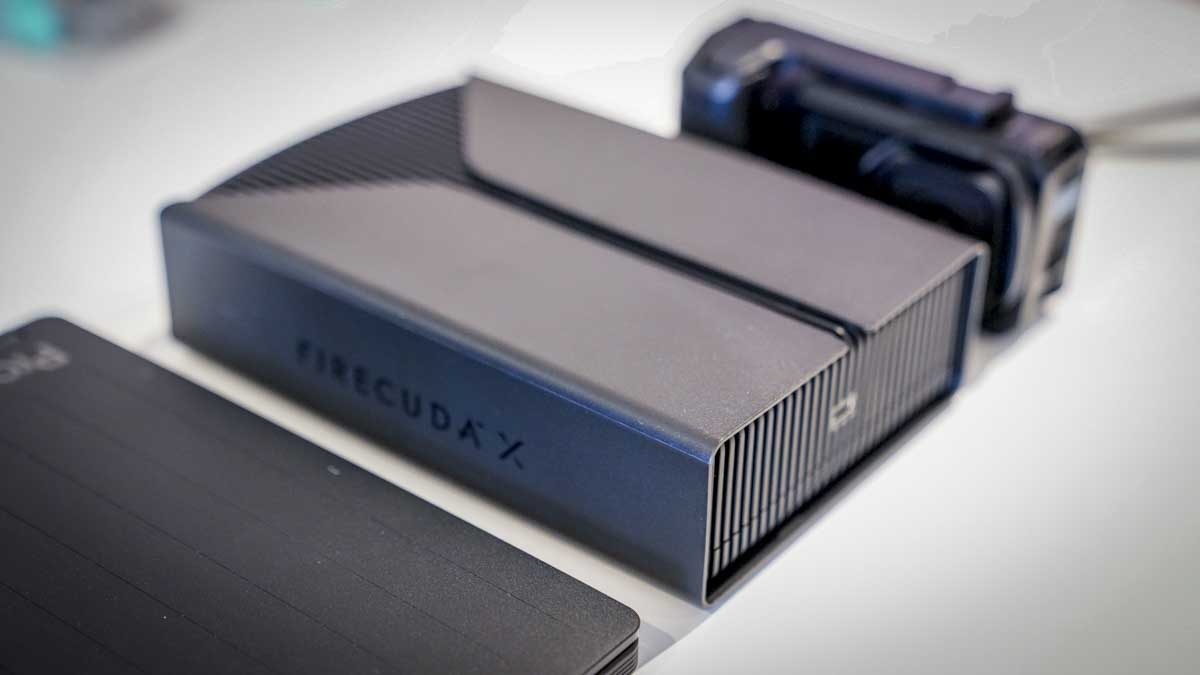
The Seagate FireCuda X Vault 8TB is available direct from Seagate in the US for $270 and from the UK site for £280. Currently, the 20TB model isn't in stock in the UK (but it's listed as £486), and doesn't appear available in North America yet.
I've also seem the 8TB drive sold for $320 on Amazon.com. Over on Amazon.co.uk, the 8TB is £253 and the 20TB is £438 - although there appears to be a labelling error. However, shipping takes between 3 and 7 months, so I'd opt for the official site if you can get quicker delivery.
- Score: 5/5
Seagate FireCuda X Vault: Design & build
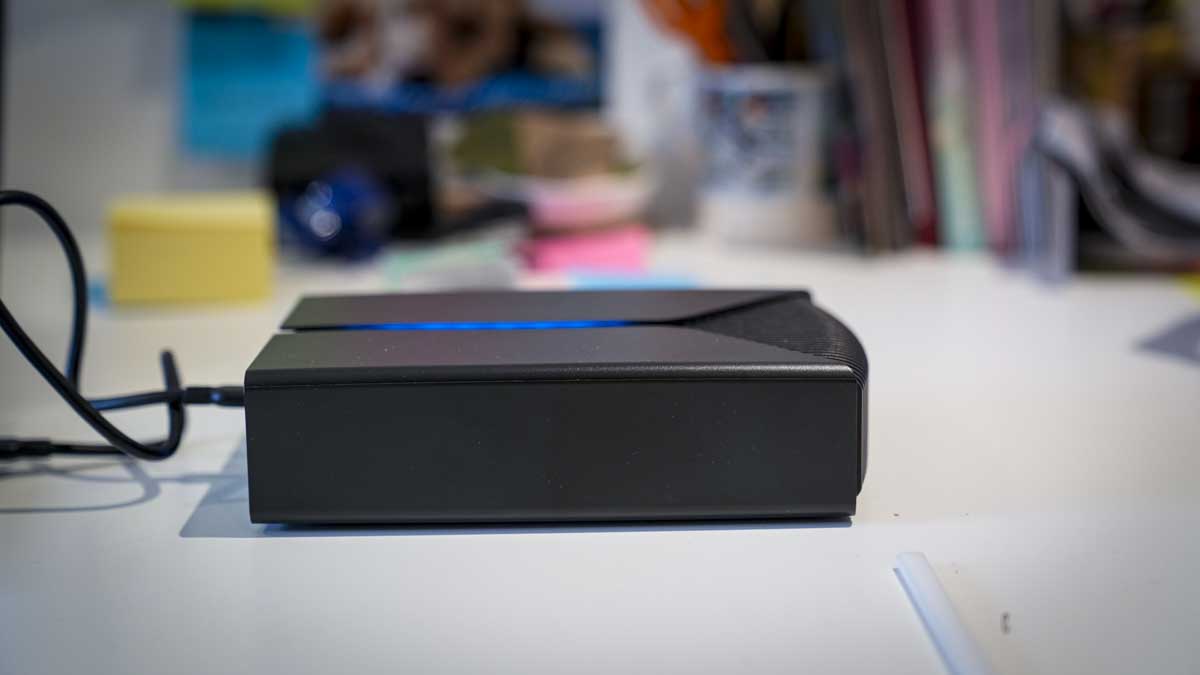
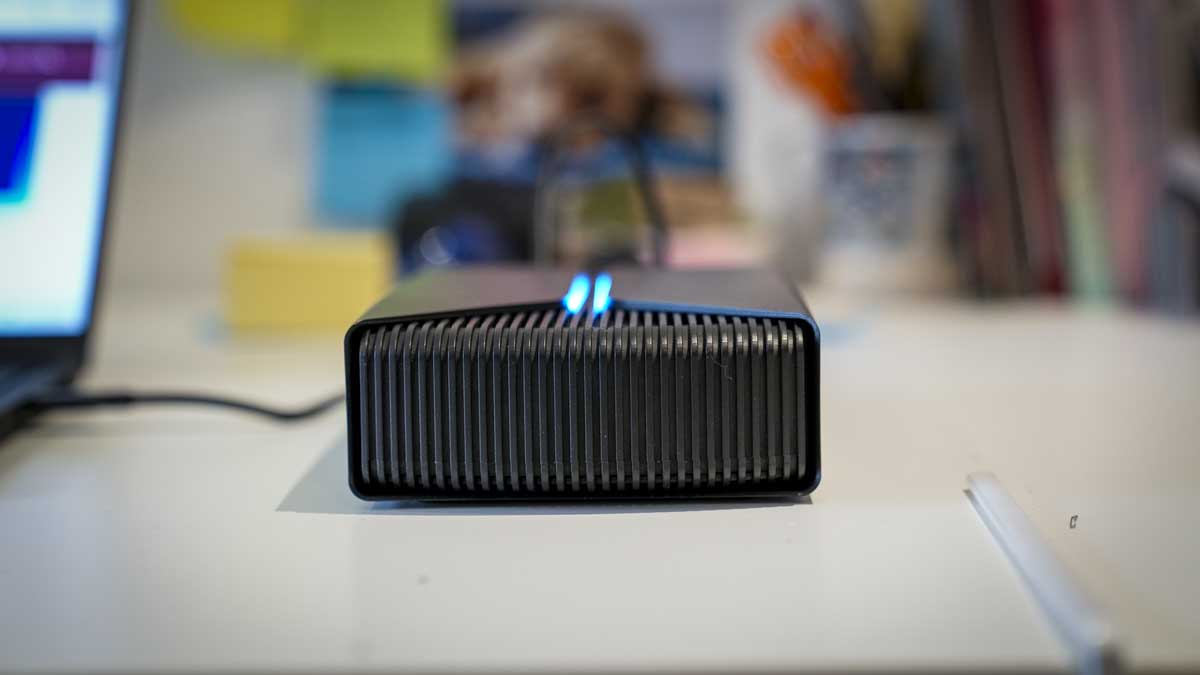
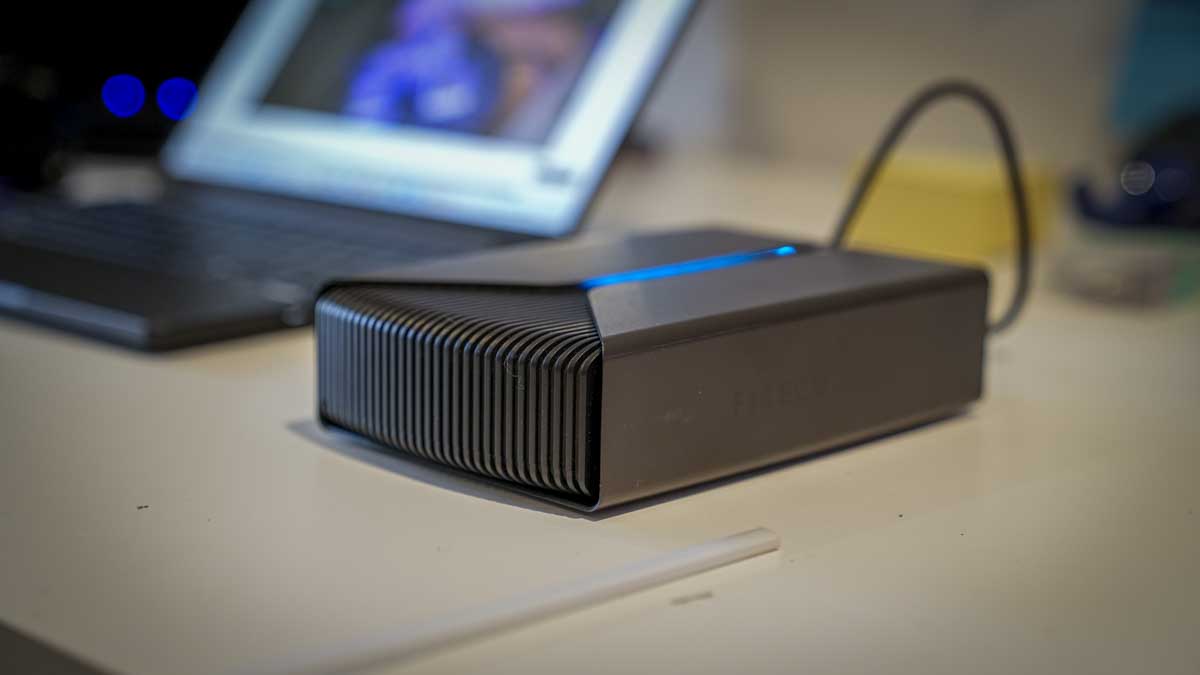
The FireCuda X Vault's gaming theme is obvious but thankfully restrained, and its aesthetics actually look perfectly at home in the studio. The black exterior breaks from the usual box design that so often accompanies this type of drive, and the plastic fin slats reflect the cooling vents that I’ve often seen on high-performance creative drives. However, the RGB cutouts along the top are clearly aimed at a gaming audience rather than a creative one. Aesthetically, I do quite like the effect, and overall, the design is more minimalist than most gaming-themed hardware.
The size and weight are more in line with what I would usually expect from a 3.5-inch external drive, weighing in at 2.84 lbs (1290g), and measuring 7.80 × 2.09 × 5.20in (198 × 53 × 132mm). While it is obviously larger than a portable drive, it doesn’t dominate the workspace, and the flat top panel, despite the design, means that if you do need to place things on top, you can.
What marks this drive out from others is that it draws power and transfers data through a single USB-C cable. The cable in the box is standard, 50 cm, which is long enough to position the drive beside a monitor or at the edge of a desk without a cable coil, though I did find occasions when a longer cable would be useful.
USB-C has enabled a huge change in the face of hardware development, and the fact that just one cable is used with no other power required is a major step forward, and actually surprising that this hasn’t been done before. Of course, in order for the drive to function, the USB-C port you connect to must supply at least 15W. This means that, unlike many portable HDDs, which are widely backwards compatible with USB-A ports, this drive won’t be.
On both the MacBook Pro M1 Max and the Asus ProArt PZ14, the drive powered up without issue, and when running the MacBook Pro on battery without a mains connection, battery life was slightly reduced but not dramatically, and, as this is really a desktop drive intended to sit on a desk, the laptop is almost always plugged in during use.
Data transfer stability during sustained video editing appears excellent. As the drive worked hard to supply the data required by a variety of applications, the 1,290g chassis stays in with minimal vibration or noise. During a long video editing session across three days, the drive produced barely any audible noise. I could, on occasion, hear the spinning mechanism, but it was so low that it was hardly noticeable, particularly once audio from the edit was playing through the monitors.
After an extended test period across multiple workstations, PC and Mac, the build quality has held up well; after all, it was really just being transferred from one desk to another.
- Design & build: 4/5
Seagate FireCuda X Vault: Features
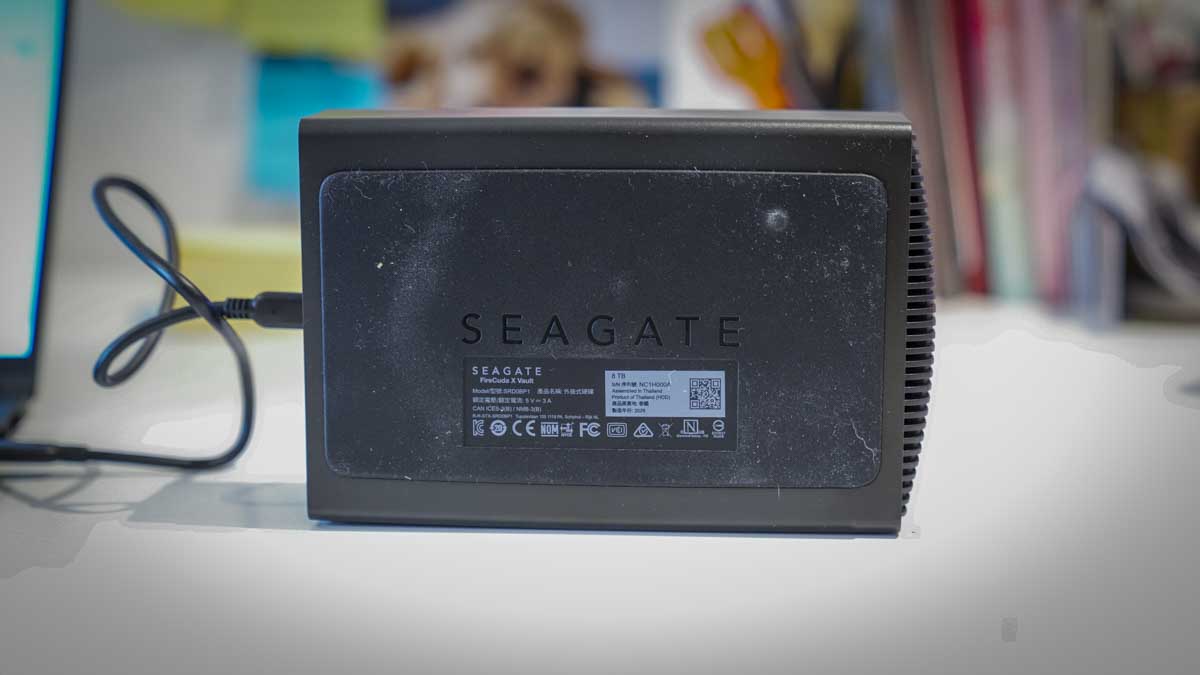
The bus-powered USB-C design is the FireCuda X Vault's unique feature, and one that, as I started to use the drive, seems well overdue. The use of the USB-C cuts out the need for a power brick, meaning one less cable and ultimately freeing up a plug socket. It also makes moving the drive between a MacBook Pro and a Windows laptop simple, as you only need to unplug a single USB-C cable and plug it into the next machine.
During the test period,, I found myself shifting between a MacBook Pro M1 Max and an ProArt PZ14 for different applications, and this ease made the larger-capacity drive as easy to use in the studio as a portable option, just with far more storage for the price.
During the test, I used the drive formatted as exFAT, which was out of the box and ensured cross-platform compatibility between macOS and Windows without the need for reformatting. Setup on both platforms was instant: plug in, mount, start working. As an example, the single-cable transfer of a large Premiere Pro project between the ASUS and the Mac was notably easier than it would have been with a drive requiring a separate power connection, and is something I would usually do with small SSD drives.
One feature of the drive is its RGB lighting, which supports Windows Dynamic Lighting. This is a gaming-focused feature that proved to be a minor aesthetic addition rather than a practical one.
Another game-focused feature is the Xbox on PC certification, which includes a one-month Xbox Game Pass Ultimate, which is aimed at gamers and is largely irrelevant for a content creation use case, though having the gaming library validation does offer some insight into the drive's intended use and the fact that it has been designed to handle sustained random reads.
An interesting addition is the Seagate Toolkit for backup management, which works well on Windows and lets you set up a backup schedule from a working footage folder to a NAS for long-term archive. It all seemed straightforward. However, Seagate Toolkit is not Mac-compatible, which is a notable gap for photographers and videographers working on macOS. Mac users will need to use Time Machine or a third-party backup solution for drive-level protection.
In this test, I’ve looked at the 8TB capacity, although there is a larger 20TB version. For a single drive option used as a working backup and rough-cut editing drive, 8TB provides a good balance for storing multiple concurrent projects over several months without needing to manage capacity.
The 20TB option would provide more headroom for longer-term archiving; however, managing 20TB on a single spinning drive introduces its own risks. The drive proved reliable, and if you have a 20TB backup drive, then why not? For photographers who shoot stills and moderate video, 8TB is a very workable starting point.
- Features: 4/5
Seagate FireCuda X Vault: Performance
All benchmarks run on ASUS ProArt PZ14.
CrystalDiskMark Read: 214.24 MB/s
CrystalDiskMark Write: 207.64 MB/s
ATTO Read: 207.71 MB/s
ATTO Write: 201.26 MB/s
AS SSD Read: 202.82 MB/s
AS SSD Write: 198.78 MB/s
AJA System Test Read: 205 MB/s
AJA System Test Write: 197 MB/s
Getting started with the drive is fast; it’s essentially plug-and-play on both Mac and PC systems, and once the USB-C cable is connected, you’re ready to go. On the Mac, the drive icon appears on the desktop, and on Windows, it can be found alongside other drives in the OS.
To start testing the drive, I went straight to benchmark performance tests and found that across CrystalDiskMark, ATTO, AS SSD, and AJA System Test, the results were consistent. Read speeds across all four tools ranged from 202 MB/s to 214 MB/s, and write speeds ranged from 197 MB/s to 207 MB/s. This essentially shows reliable performance with minimal variation across test methods and, therefore, across the different real-world applications, file sizes, and formats you’re likely to use. More importantly, these speeds remained consistent throughout a three-day video editing test, with no thermal throttling or audible performance reduction.
To double-check the results, I left each AJA System Test Lite running for several hours without any real effect on the final result.
A large part of the real-world test was conducted while editing 4K video; the test footage was from a Canon EOS R5 C, and the files were recorded in 4K UHD (3840 × 2160) at 50 fps, in Canon XF-AVC Long GOP, YCC422 10-bit, in MXF format.
On the MacBook Pro M1 Max in Final Cut Pro X, there were occasional moments during editing when the timeline required the machine to catch up, primarily a codec-decoding issue on the older Mac rather than a drive-throughput problem.
I then tested a similar project in Premiere Pro on the ProArt PZ14 and found that it the edit was significantly smoother. For 1080p content and lighter 4K workflows, the FireCuda X Vault is a workable primary editing drive. For high-bitrate 4K with multiple grades and tracks, an SSD remains the better option, especially the LaCie Big8, which I was also reviewing at the same time.
One of the early indicators of speed was the initial transfer of files from a CFexpress Type B card to the drive. Transferring 1.5TB of Canon EOS R5 C footage from a CFexpress Type B card to the FireCuda X Vault took approximately two hours. The same transfer via a portable SSD took 10 to 12 minutes, just to highlight the difference between an HDD and an SSD.
I’ll also note that this is not an issue with the FireCuda X Vault; it’s working exactly as a 215MB/s spinning drive should, it’s just that SSD is that much faster. If you do look at it from that perspective, in speed terms, then the drive is better suited as a first backup destination after an initial fast offload to an SSD, rather than as the primary offload destination from a card.
Of course, as this drive is designed for gaming, I had to test it with a few Steam titles. After transferring the storage from my machine to the drive, it was time to load up a few games. The first was Indiana Jones and the Great Circle, and this, along with several other Steam titles, loaded from the FireCuda X Vault at speeds comparable to the Asus machine's faster internal SSD, showing that 215MB/s is more than adequate for game loading and save data, and that the gaming library certification is backed by genuine ability.
Noise levels throughout the test were minimal; to be honest, the noise from the video and games drowned out any noise, and it was so slow that I didn’t notice. Even under the sustained seek-and-write loads of a multi-hour video edit, the drive produced only a faint mechanical hum, inaudible over the monitor speakers.
- Performance: 4.5/5
Should you buy the Seagate FireCuda X Vault?
The Seagate FireCuda X Vault 8TB, with its bus-powered USB-C design, is genuinely innovative, and it’s hard to see why this hasn’t been done before. It essentially makes the drive simpler with fewer cables, and while it's larger than a portable hard drive, it’s far cheaper for the capacity. After testing on a MacBook Pro M1 Max and an Asus PZ14, the single-drive design and ease of moving it around were obvious advantages over traditional desktop drives.
While the performance was significantly slower than that of an SSD, it was consistent, especially for the capacity and price. In the benchmark tests, the drive offered roughly 214MB/s read and 207MB/s write across multiple benchmarks and maintained those speeds in real-world tests. For photographers, this makes the FireCuda X Vault a great option as a working and backup drive, essentially offering a price per terabyte that external SSDs cannot match.
For videographers, the drive can handle 1080p and light 4K editing, but when it comes to high-bitrate 4K workflows, the limits are pushed, and as I discovered, the CFexpress Type B offload speed was approximately 2 hours for 1.5 TB, versus 10 to 12 minutes via a portable SSD. For video-heavy workflows, while far more expensive, a fast large-capacity SSD, such as the LaCie Big8, would be a better choice as the primary editing drive, then the FireCuda X Vault as an 8TB accessible project archive sitting on the desk.
Seagate Toolkit's lack of Mac compatibility is a clear gap that Seagate should address. Mac users make up a significant portion of the creative professional market that I think this drive will appeal to, although more creative users are moving away from Mac-based workflows due to the prohibitive costs.
At $270 / £280 for 8TB, this is exceptional value, and thankfully, as the gaming theme is restrained, the drive sits comfortably on a creative workstation without looking out of place. The FireCuda X Vault is a great desktop drive for PC gamers who want high-capacity game storage, and also a good choice for photographers who need accessible bulk working storage, and a useful archive and rough-cut editing drive for videographers, as long as your primary editing workflow runs on a faster internal or external SSD.
Value | 8TB with bus-powered USB-C and excellent build quality | 5 |
Design | Gaming aesthetic but understated and stylish | 4 |
Features | Bus-powered USB-C is excellent; Seagate Toolkits backup being PC only is a shame. | 4 |
Performance | Consistent performance at 215MB/s; CFexpress offload times show the HDD limitations on speed | 4.5 |
Total | A useful desktop storage option for gamers, photographers and videographers | 4 |
Buy it if...
You need high-capacity
At $270 / £280 for 8TB, the FireCuda X Vault offers a cost-per-terabyte that external SSDs can't match. For photographers archiving large amounts of images and video, the capacity makes it a great choice.
Keeps the desk clear
Bus-powered USB-C on a 3.5-inch drive is a first and a great feature. Not only does it keep your desktop tidy, but if you regularly move between a MacBook and a Windows machine, a single cable for swapping is far easier than moving data cables and power cables.
Don't buy it if...
You need fast footage offload.
Offloading 1.5TB of 4K footage from a CFexpress Type B card took roughly 2 hours. While this gave me plenty of spare time, if deadlines are tight, this is not ideal.
You need cross-platform backup software on Mac.
Seagate Toolkit backup is Windows-only. If you’re a Mac user, then you will need to rely on Time Machine or a third-party backup solution.
For more storage options, we've tested the best portable SSDs around.




