

If you’ve spent any time researching the best parental control apps, then you will have heard of Qustodio – it’s one of the most prominent names in the sector. It’s been around for over a decade, it’s been trusted by over seven million parents, and the app’s systems have averted over three billion threats.
That’s an impressive resume and, on paper, it’s backed by an impressive slate of features, too. But can Qustodio earn your vote ahead of big rivals like Bark, Norton Family or MMGuardian?
Read on as we put Qustodio to the ultimate test, examining its features and in-use experience to see whether it delivers good value for the price it commands.
Plans and Pricing
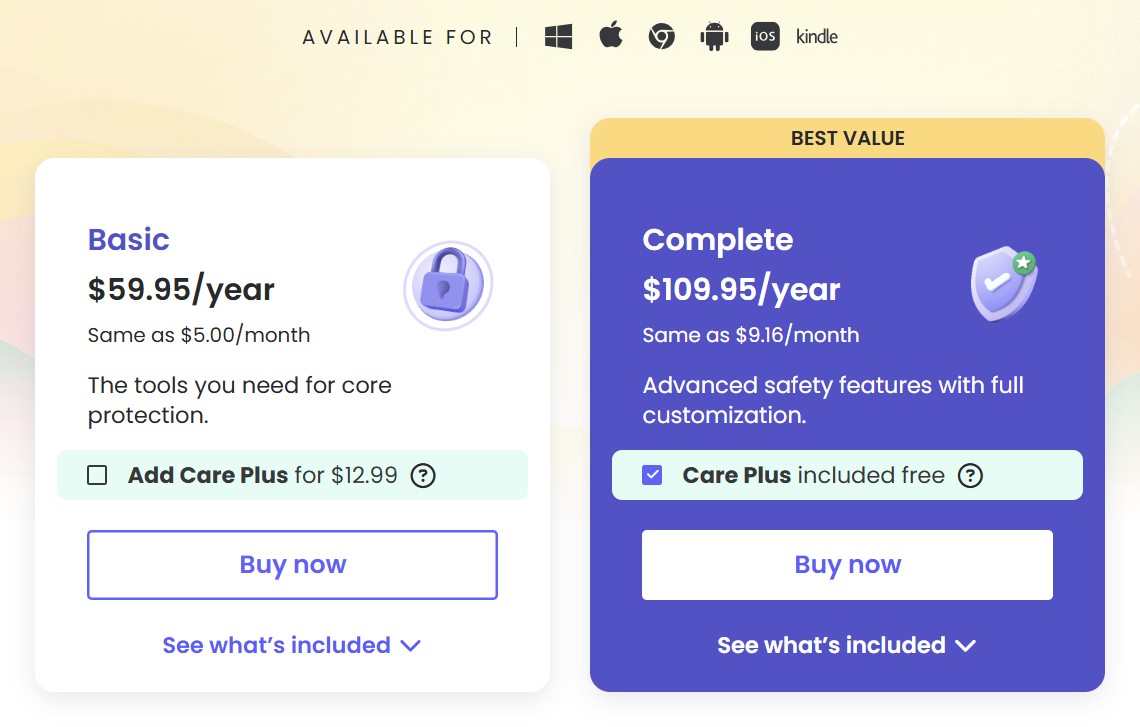
The Qustodio experience starts with a refreshingly straightforward look at pricing, with two paid tiers available.
The Basic package offers core functionality and costs $59.95 a year – the equivalent of just $5 per month.
With the Basic package, you get daily time limits, web filtering, location monitoring, game and app blocking and the ability to pause internet access for your children’s phones. It’s a solid core product with a more generous offer than the basic package you’ll find elsewhere.
However, I found this plan to be a tad too restrictive. For instance, Norton Family ($49.99/year) comes with everything the product has to offer, including Search Supervision and Instant Lock, which Qustodio doesn’t offer.
The Complete product, at $109.95 annually, adds AI-powered alerts, social media monitoring, custom routines, app time limits and additional monitoring, and allows parents to add unlimited devices to the account.
It’s a decent offer, especially when many premium products restrict how many devices you can monitor. Bark and MMGuardian are both pricier than Qustodio, but Norton Family is even cheaper.
There’s a free version of Qustodio, too, that offers web filtering, daily time limits, 7-day activity reports and the ability to pause the internet, but it only protects one device, so it’s understandably limited.
That said, not many parental control applications offer a free plan in the first place. Qustodio’s free plan can come in handy if you want a minimum degree of supervision over your child’s activities without being too intrusive.
Features
Qustodio offers good value, then, and it also serves up a good range of features.
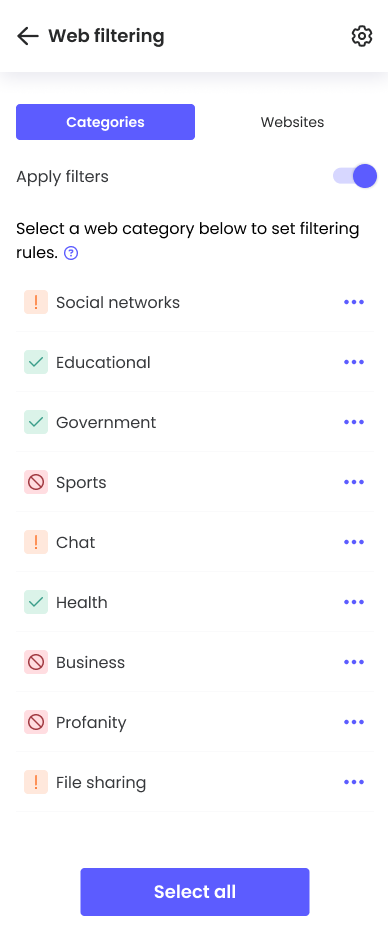
It’s possible to filter out inappropriate apps, games and websites easily, and pick categories for whitelisting, alerting or total blocking. Parents can access alternative recommendations to apps that kids aren’t allowed to access, and even deploy conversation starters, approved by child psychologists, to start conversations about web browsing and internet use.
With Qustodio you can block unknown websites, automatically enable safe searches in common browsers, and receive alerts if your child searches for inappropriate content.
Qustodio offers more than 25 web filtering categories, but there’s no option within the app for kids to request access to particular websites – a feature you’ll find on Norton Family.
Qustodio allows parents to set screen time allowances for every day of the week, and also set time limits for individual apps – and use the in-built app monitoring and detection to automatically sort over 25,000 apps into categories for easier blocking or accessing.
Besides generalized app blocking, Qustodio offers a dedicated YouTube monitoring feature that allows parents to keep an eye on the kind of videos their child has been watching on YouTube.
On iOS and Android devices, Qustodio can monitor both the app and the website. On Mac and Windows, however, the app cannot be monitored, but the YouTube website remains within its monitoring capabilities.
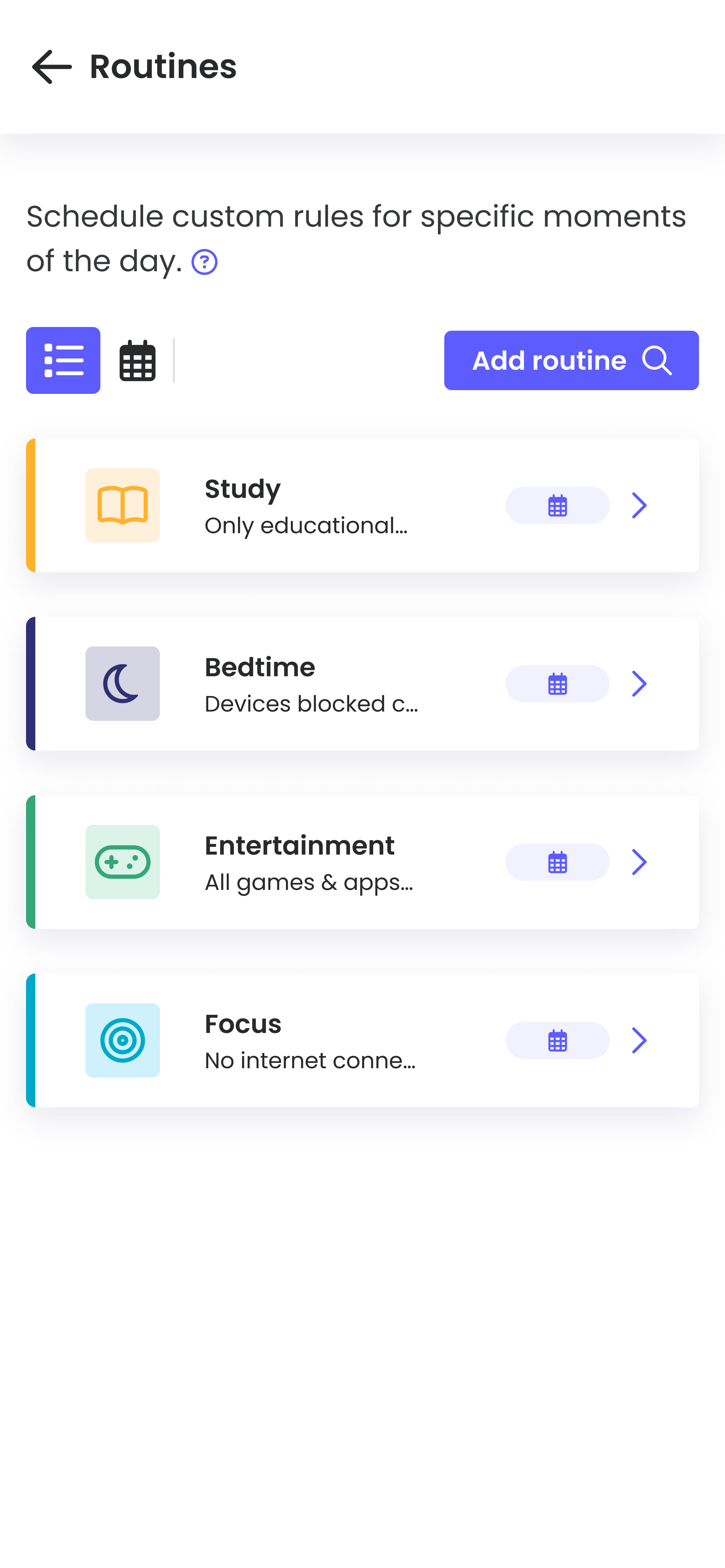
It’s easy to create different routines and switch between them and, if you need to step in quickly, there’s an option to pause internet access on child devices or block the device completely.
And if parents want to reward their children or be a little more lenient, it’s easy to add screen time and see a new limit once that extra time has been granted.
Different rules can be used to govern screen time use between browsers and apps, there are varying “modes” that alter access for bedtime, leisure time and study time, and custom schedules are very easy to build.
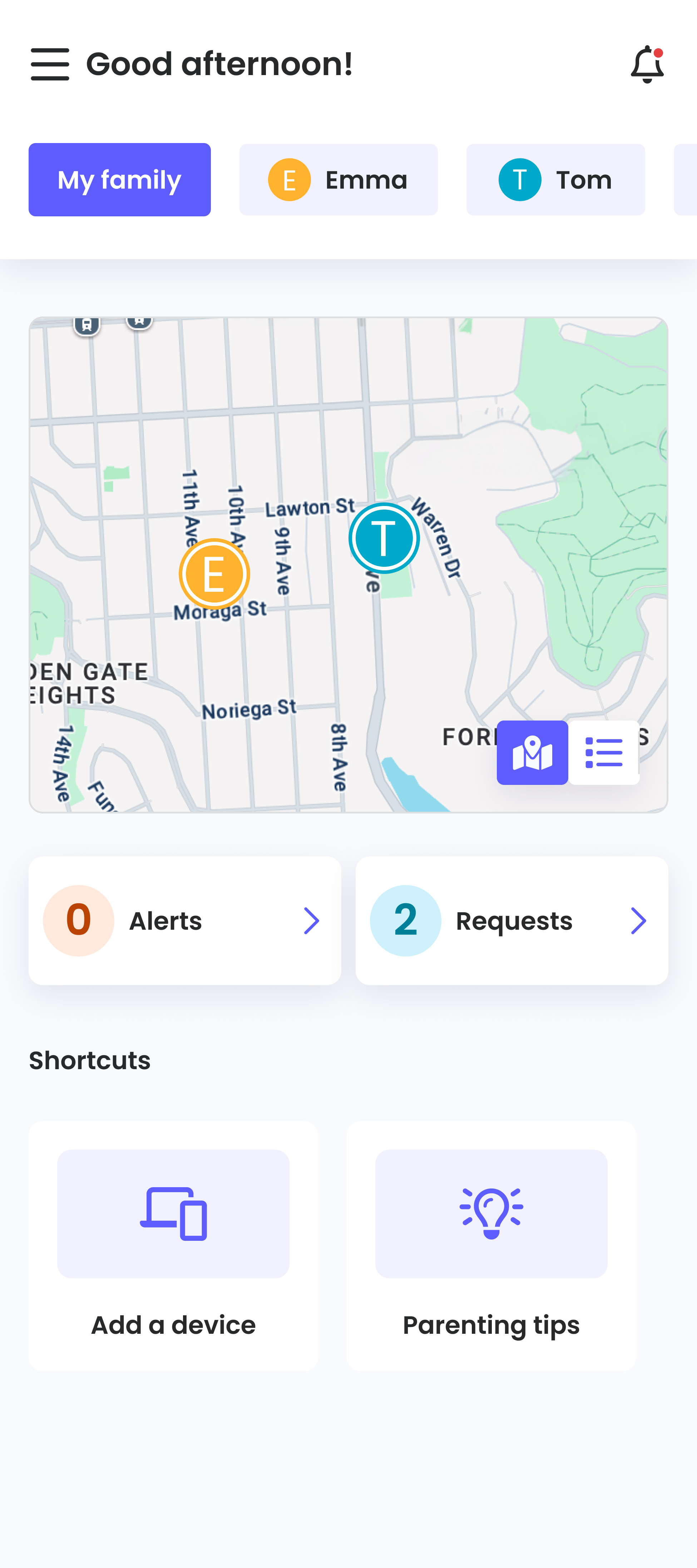
A straightforward map allows parents to track their child’s location. Not only can you view your child’s last known location, but also a detailed location history showing all the places they have visited over the last 30 days.
While Qustodio supports geofencing, we found it to be more limited than its rivals. Qustodio allows you to set up a geofence with a maximum radius of only 200 meters, which is significantly smaller than what other applications offer. Norton Family, for instance, lets you set a maximum radius of 3,200 meters, whereas Mobicip allows a maximum radius of 1,000 meters.
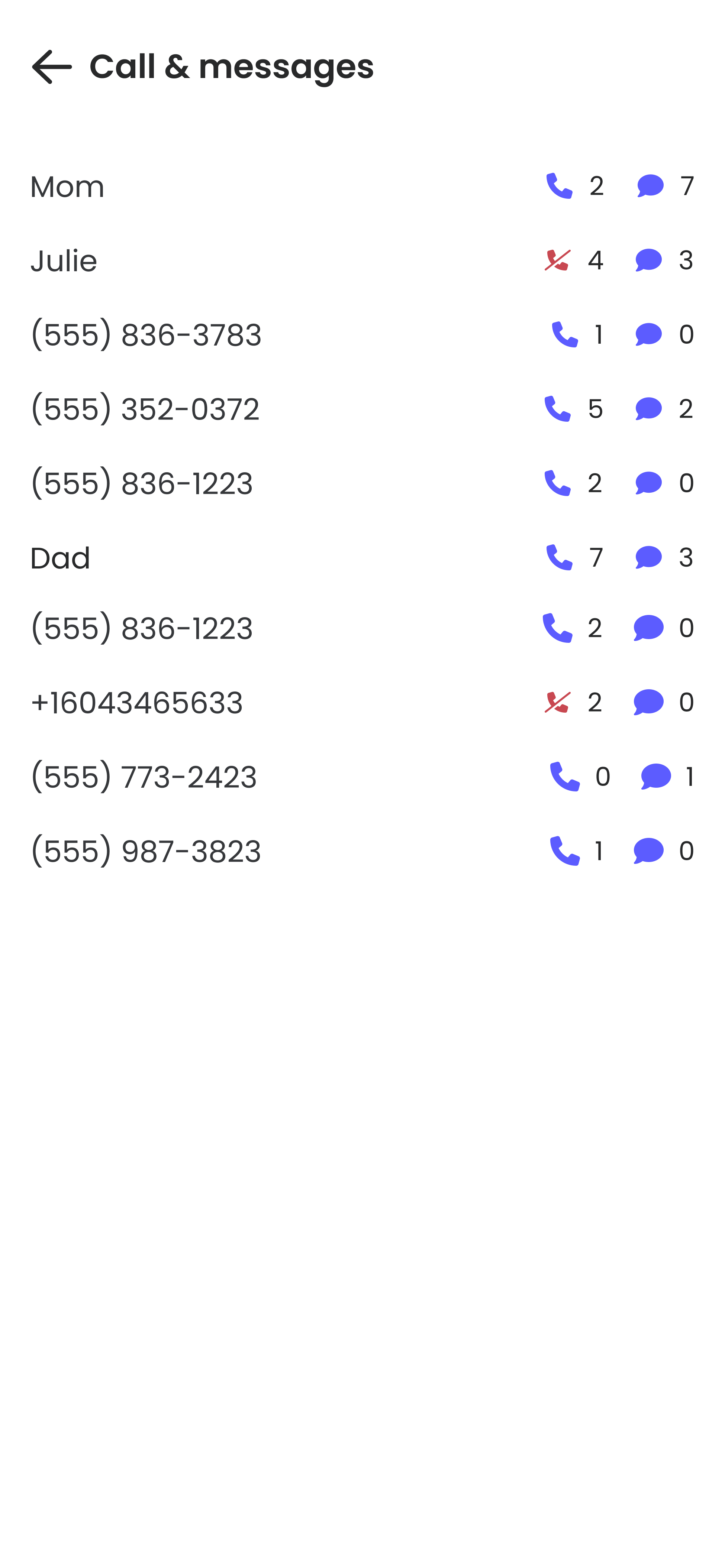
Call and SMS tracking and reading are supported on both Android and iOS, with full message details available, and parents can block phone numbers on child devices. You’ll get alerts for suspect content.
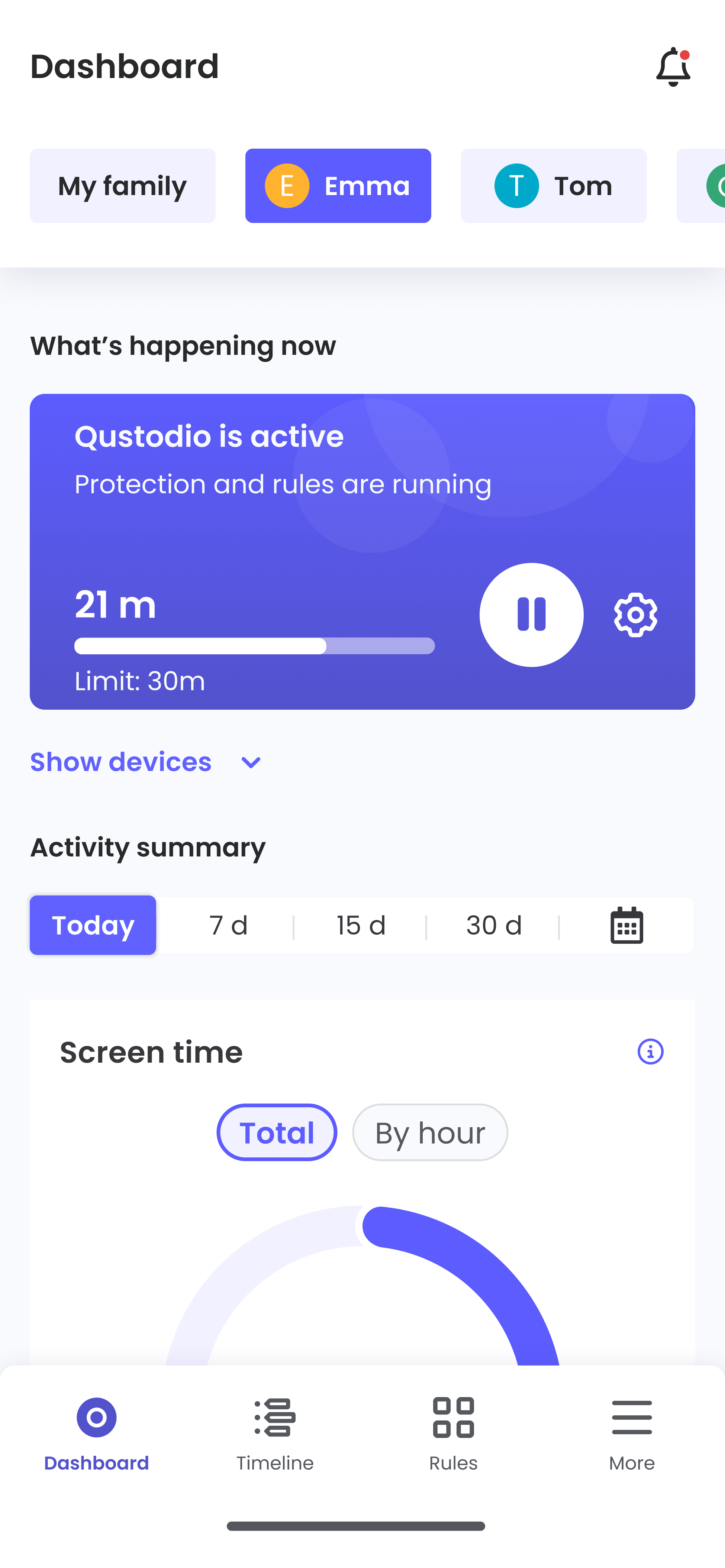
When it comes to reporting on all of this, Qustodio is similarly comprehensive. A real-time dashboard provides easy access to each child's digital activity, including an activity timeline, screen time and browsing history, and parents can access more detailed daily or weekly reports.
Qustodio is also forging ahead with some AI-based content, too, with AI-powered alerts that notify parents of any worrying searches, conversations or social media activity based on chosen topics or categories. That’s great, but it’s worth noting that Qustodio is a little weak on social media monitoring – it monitors messages on WhatsApp, Instagram and LINE, but that’s it.
Qustodio also offers a handy panic button on Android devices, allowing a child to send emergency alerts in times of dire need. Your child simply needs to tap the SOS button on the Kids App home screen to send alerts to all trusted contacts added to their profile.
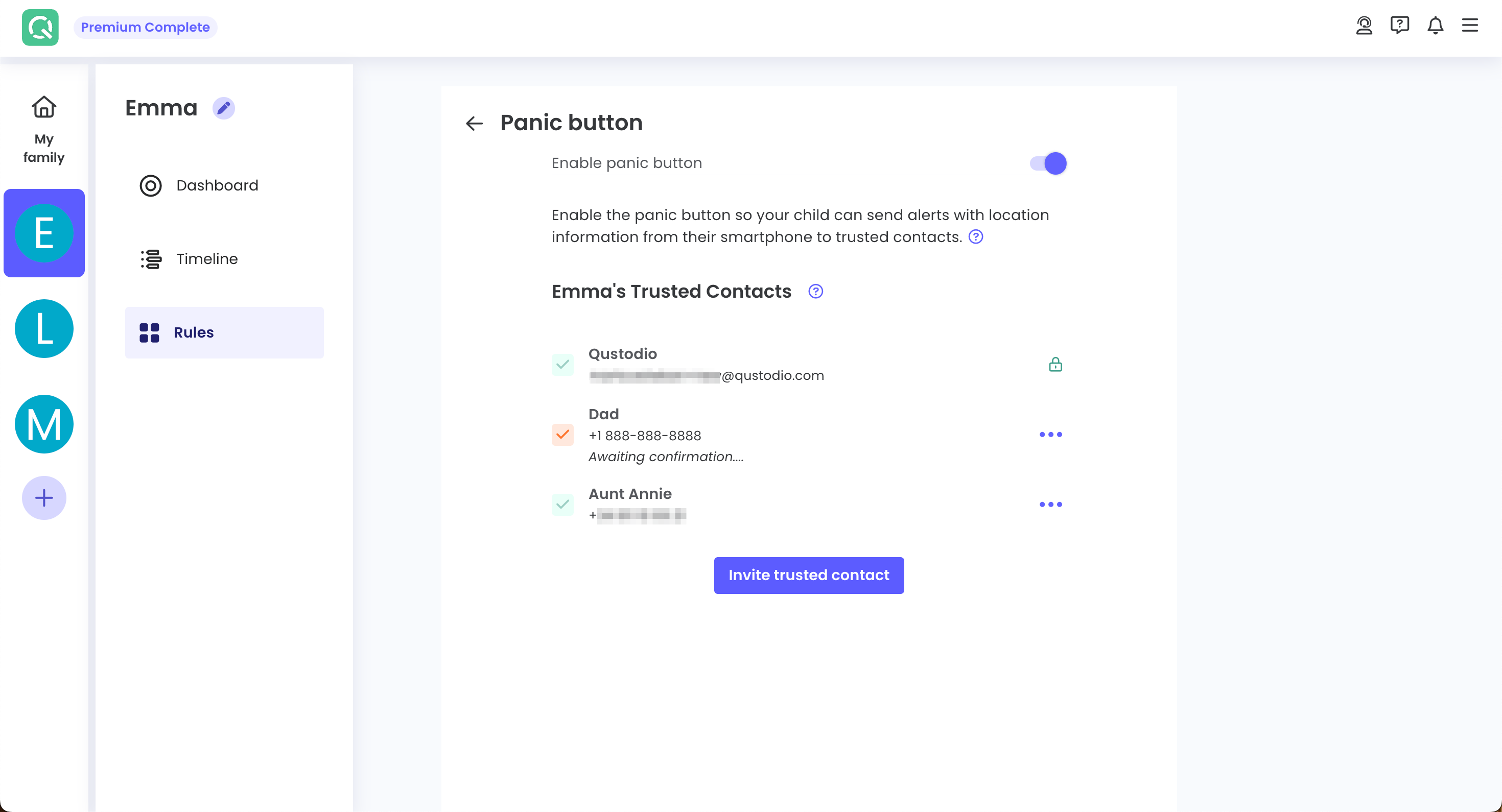
The best part is that even if the child’s device has been locked, they can still access the panic button from the app’s lock screen. Once the child activates the SOS bubble, a message stating that the child needs help is sent to all trusted contacts, along with the child’s location details, which are refreshed every 90 seconds.
The SOS alert can be stopped when the child taps the SOS bubble a second time. However, the trusted contacts feature goes far beyond the SOS bubble. Even when a child’s phone is locked down, they can still call these trusted contacts by tapping the emergency call button.
As usual, though, be prepared that not every feature works on every platform. You don’t get WhatsApp alerts on iOS, for instance, and there’s no location, call or SMS monitoring on Mac OS or Windows. Android is the only platform that features a panic button.
Another important feature that Qustodio misses out on is email monitoring. While you might argue that children hardly use email these days, it is still a very important feature to have because many online services and social media platforms use email for account verification, notifications, and password resets. Email is also a common channel for predatory advances, phishing scams, and inappropriate marketing targeting young teenagers.
Interface and in use
Qustodio has one of the best interfaces we’ve seen on any parental control app. As well as having a straightforward layout that places everything where you’d expect, Qustodio packs its apps and web interfaces with helpful tips and explanations about features and how they work.
A selection of Quick Actions provides fast access to common tasks, and the activity summary does a fantastic job of presenting key data in an attractive and intuitive format.
Child apps are simple enough for even the youngest children to understand what’s going on, and if you’re a parent who wants to dive deeper into the settings, you won’t get lost – the effective UI continues here.
It’s typically easy to get started, too: download the app, register an account, set up child profiles and tick all of the permissions, and you’re ready to start building schedules, monitoring devices and protecting your kids.
Customer Support
Qustodio makes a big deal about ensuring that its service is easy to use for busy parents who may not have a deep understanding of technology, and this attitude extends to its support functionality.
There are loads of helpful articles in the FAQ section, many of which have screenshots, and the guides that illustrate how to set up the app, use basic features and manage your account are particularly good.
If you need support and you use the Basic package, it’s managed through a contact form – sadly there’s no phone support, chatbot or live chat available here, but users report that they always receive helpful, polite form responses within 24 hours.
If you’re a Complete user, you get access to Care Plus. This adds phone support, personalized guidance and ongoing check-ins for parents who want more from their parental control app. And, impressively, Care Plus has an average resolution rate of 97% and an average resolution time of 15 minutes.
While it’s included for free with the Complete package, it costs $10.21/£7.99 to add it to the Basic product.
One drawback of this pricing structure is that if you’re on the Basic plan and encounter a technical issue, you’ll have to rely on automated chatbots and email support, which could take a day or two to resolve your problem. If you need immediate support, it would cost you around $13 extra, which might not be worth the additional expense.
The Competition
Qustodio has increased its prices since we last reviewed it and now falls into the same price range as many other parental control applications. There are still cheaper options available, though.
Norton Family, priced at $49.99 per year, can be a good alternative, especially if you already use Norton’s line of security products. Like Qustodio, it also lacks comprehensive social media monitoring. However, Norton allows your kids to request access to blocked sites, which Qustodio doesn’t, while also offering a wider range of website filtering rules. Unlike Qustodio, however, Norton does not support call or SMS monitoring, which can be a significant difference between the two.
Another affordable option is Mobicip, with pricing starting at just $2.99 per month, which comes to around $36 per year. However, at this price, you do not get social media monitoring or the ability to set time limits for specific applications. That said, this could be a fair trade-off if you’re looking for an affordable alternative to Qustodio.
Bark is probably Qustodio’s best competitor, although it costs around $14/month. It’s far better with social media, but is more limited on iOS and doesn’t provide a full web history.
Final Verdict
Those factors leave Qustodio looking like a particularly strong parental control option. It has superb filtering, scheduling and screen time options, AI-based additions, solid location features and excellent design, reporting and platform support.
Its customer support is great if you have the Complete product, the apps are all easy to use, and the pricing is fair, too – either competing or undercutting many rivals.
Plus, it’s one of the very few parental control applications that offers a free forever plan. Sure, it is limited and does not provide the full range of features, but it still lets you add web filters, pause internet access, and enable Safe Search on your children’s devices, along with seven-day activity reports. This is enough if you simply want to be aware of your children’s online activities without being too intrusive.
The only downside is weak social media monitoring and a relatively small geofencing zone. That social media monitoring drawback could be a dealbreaker for many families but, in almost every other area, Qustodio is a winner – it’s one of the best parental control apps on the market.
- We've also featured the best free parental control software




