

iContact has been in the email marketing software business since 2003, co-founded by Ryan Allis and Aaron Houghton while both were students at the University of North Carolina at Chapel Hill. The platform was built with a focus on making email marketing accessible to small businesses, a mission it has preserved even through multiple ownership changes.
Vocus acquired it in February 2012 for $169 million; following a 2014 merger with Cision, the combined company sold iContact to j2 Global for $49 million in January 2019. It now operates under the J2 Martech Corp umbrella and serves thousands of customers worldwide, including Habitat for Humanity and NASA.
The platform has come a long way from its earlier days. iContact now offers Standard and Premium paid plans, with Premium adding AI writing tools, unlimited automations, and social posting. A 30-day free trial replaced the old permanent free tier, giving you full access to the platform before any billing begins.
For small businesses with lists under 50,000 contacts, iContact covers the basics well. The drag-and-drop editor is clean and deliverability is reliable. The catch is that Standard limits you to one user, one automation, and one landing page, so the full value only becomes clear once you move to Premium.
My experience with iContact
Setting up iContact was very simple. I found the onboarding short and straightforward. The drag-and-drop editor is definitely among the cleaner ones at this price point, with blocks that snap into place automatically and a live mobile preview built into the UI. Its built-in stock image library is a nice practical touch for small teams without dedicated design resources.
The Standard plan feels more limited in practice than it looks on paper. Working with a single automation and one landing page is manageable for a solo operator, but it constrains any business with campaign ambitions beyond a basic welcome sequence.
Deliverability held up well in my testing, with very few messages landing in spam folders. For email marketing specifically, inbox placement matters more than most interface features when it comes to actual campaign results.
The Premium plan's AI Content Assistant is modest at 20 transcriptions per month, but it's a practical addition for small teams drafting occasional campaigns rather than running high-volume content operations. The social posting feature is a convenient bonus, though it won't replace a dedicated social tool for businesses that post frequently.
iContact: Plans and pricing
|
Plan |
Starting rate (billed monthly) |
Starting rate (billed annually) |
Subscriber count |
|---|---|---|---|
|
Standard |
$9/month |
$7.67/month |
Up to 500 |
|
Premium |
$16/month |
$13.58/month |
Up to 500 |
|
Custom |
Contact sales |
Contact sales |
50,000+ |
iContact offers a 30-day free trial before any billing begins. Standard scales from $9/month at 500 contacts to $350/month at 50,000 contacts billed monthly, or the equivalent of $7.67 to $297.50 per month billed annually. Premium runs from $16/month to $399/month billed monthly, or $13.58 to $339.17 per month billed yearly.
Standard is a single-user plan limited to 1 automation, 1 landing page, 2 contact lists, 1 segment, and 250 MB of storage. Premium removes most of those restrictions, adding unlimited users, automations, landing pages, lists, and segments, along with social posting, Subject Line AI, an AI Content Assistant (20 transcriptions/month), an email verification add-on, phone support, and 500 MB of storage.
For lists above 50,000 contacts, iContact's Custom plan offers enterprise-level sending capacity and dedicated support. But pricing requires a conversation with iContact's sales team.
iContact: Features
iContact's drag-and-drop editor makes designing very easy. The platform offers a collection of email templates that you can pick and customize to fit your brand using the drag-and-drop editor. Emails that you build using the editor are optimized for both desktop and mobile displays without any extra effort from you.
If you have some programming chops, you can even edit the underlying HTML to make your emails look better. Subscribers on the Advanced plan also have access to a drag-and-drop editor for creating landing pages.
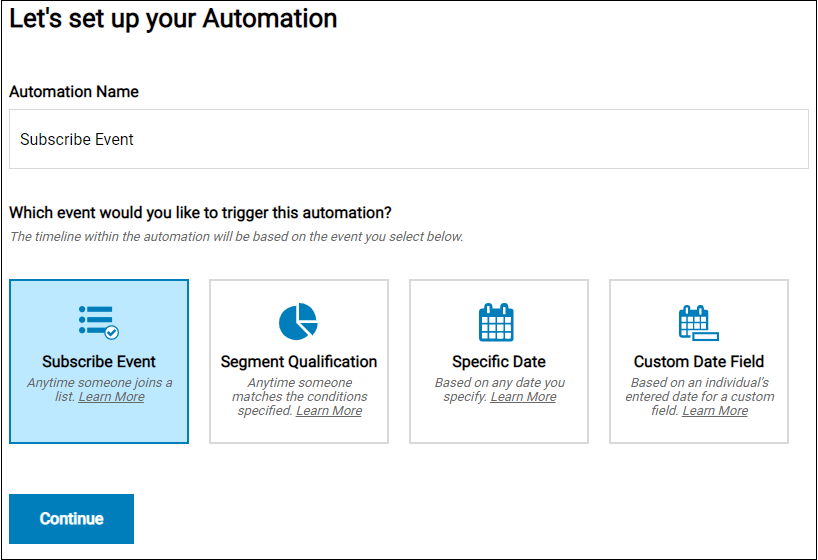
iContact lets you use automation triggers to send emails to customers based on specific conditions. For example, you can send an automatic welcome email to every person that signs up for your subscriber list. You can personalize these automated emails by including the recipient's name to make them more likely to respond.
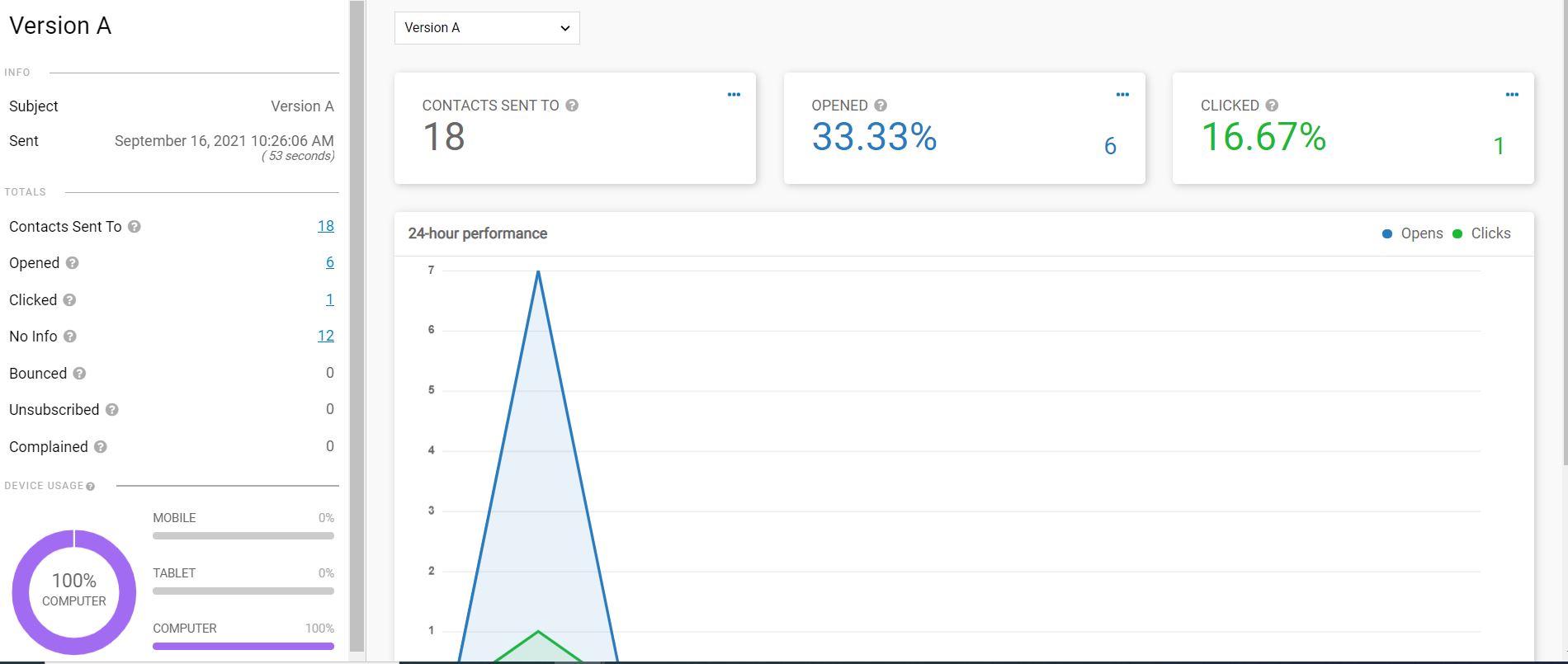
Of course, you also need to be able to measure the performance of your campaigns. Fortunately, iContact provides analytical and reporting tools that monitor open rates, click-throughs, and bounce rates, among other things.
iContact: Interface and use
I found iContact’s email deliverability rate an improvement over most email marketing tools I’ve tried. Very few emails sent from this platform end up being sent to the abyss of the spam inbox.
Hundreds of licensed stock images are available to create a unique email for maximum impact, plus designing an email is straightforward with the drag-and-drop interface. However, the task is more challenging if you want to create an email from scratch instead of using a template.
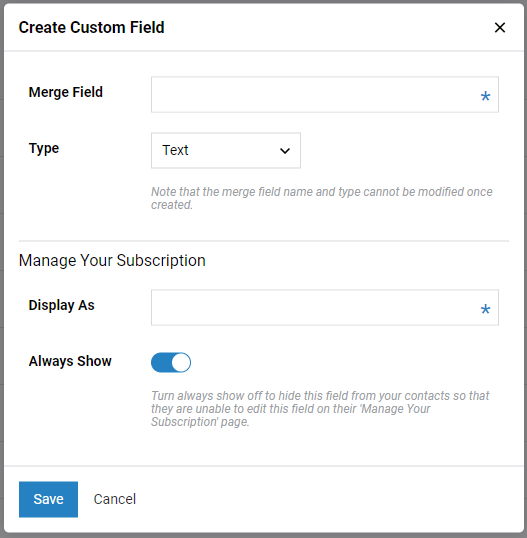
iContact also has strong list management tools. It’s simple to create subsets of contact lists based on zip codes or signup dates. This platform also easily integrates with in excess of over 100 apps, including PayPal, Shopify, and Survey Monkey.
iContact: Support
iContact features a wealth of content to assist you become a better email marketer. There are over 100 professionally created webinars, videos, and guides to optimizing your PR, email designs, and campaigns that can help both novices and experts alike.
The professional content available via a blog, podcast, and email lookbook are excellent quality too, for example the webinar on “Head & Heart of Marketing: Why Your Emails MUST Have These 10 Things.” We also found excellent video walkthroughs of the software and training videos on every aspect of the portal.
For technical support, FAQs explain every part of the software for those looking for self help. Free plan users only have email support and a support portal to initiate contact. But, paid plan users can access live chat and phone support for direct contact, and are available Monday to Friday 9am –7pm EST.
iContact: Specs
|
Email editor |
Drag-and-drop, mobile-optimized |
|
Automations |
1 (Standard); unlimited (Premium) |
|
AI writing tools |
Subject line + content; Premium only |
|
App integrations |
100+; includes Shopify and PayPal |
|
Sending limits |
10x–12x contacts per month |
Should I buy iContact?
|
Attribute |
Notes |
Score |
|---|---|---|
|
Features |
Core tools are solid; AI and social restricted to Premium |
3.5/5 |
|
Performance |
Reliable deliverability and consistent inbox placement |
4/5 |
|
Design |
Clean, intuitive editor with built-in mobile preview |
4/5 |
|
Value |
Competitive entry price; Standard plan is quite limited |
3.5/5 |
Buy it if
- You're a small business with a modest list. Standard starts at $9/month for 500 contacts, backed by a 30-day free trial that requires no credit card. For businesses just getting started with email marketing, it's a low-risk entry point with enough tools to run functional campaigns.
- You want a clean setup without a steep learning curve. The drag-and-drop editor is approachable even without prior experience, and iContact's help resources cover most early questions before you ever need to contact support.
- You need AI writing tools without adding a separate product. Premium includes Subject Line AI and an AI Content Assistant to draft copy faster, which saves time for small teams handling campaigns alongside other responsibilities.
Don't buy it if
- You need more than one person managing campaigns. Standard is strictly single-user. The moment you need shared account access, you're on Premium, which more than doubles the starting cost.
- You send frequently relative to your list size. Monthly sending limits of 10x contacts on Standard and 12x on Premium can be reached quickly by high-frequency senders, leading to overage charges on top of your subscription.
- You need advanced segmentation from the start. Standard restricts you to one segment and two contact lists. Businesses that want to target subscribers based on behavior or purchase history will hit those limits quickly.
Also consider
- Mailchimp: Worth considering for more sophisticated multi-step automation and deeper segmentation. Its free plan was cut significantly in January 2026 to just 250 contacts and 500 emails per month, making it impractical for most businesses. Paid plans start at $13/month (Essentials), with multi-step automation only unlocking on Standard at $20/month.
- Brevo (formerly Sendinblue): Prices by email volume rather than contact count, which makes it more cost-effective for businesses with larger lists that send infrequently. The free tier supports 300 emails per day with up to 100,000 contacts stored, with no time limit. Paid plans start at $9/month for 5,000 monthly sends and include SMS alongside email on most tiers.
- Constant Contact: Suits small businesses running event-driven campaigns or working in the nonprofit sector. The platform removed its permanent free plan in June 2025 and now offers a 14-day free trial plus a 30-day money-back guarantee. Paid plans start at $12/month for 500 contacts.
iContact: Final verdict
In summary, iContact offers a solid product, and is priced competitively. The excellent onboarding and comprehensive tutorials make it a solid choice for a small business starting out in email marketing, with tons of support articles, webinars, and blogs to support your ongoing growth. While some professional marketers might find the automation, segmentation, and metrics lack the detail required for large-scale, complex marketing plans, those with more modest goals are sure to be pleased with what iContact does better than most.




